Top 5 Best Multi-Color 3D Printers Under $1,000 2026
The best multi-color 3D printers under $1,000, ranked on the multi-color system (colors, swap speed, purge waste), print quality and speed, materials, ease of use and value: AMS-style filament swappers from Bambu Lab and Elegoo against Bambu Lab's dual-nozzle X2D and Snapmaker's four-toolhead toolchanger.
Updated October 17, 20265 rankedNo paid placements
We may earn a commission when you buy through our links. Prices and availability shown are accurate as of Oct 17, 2026 and are subject to change; the merchant's price at purchase applies.
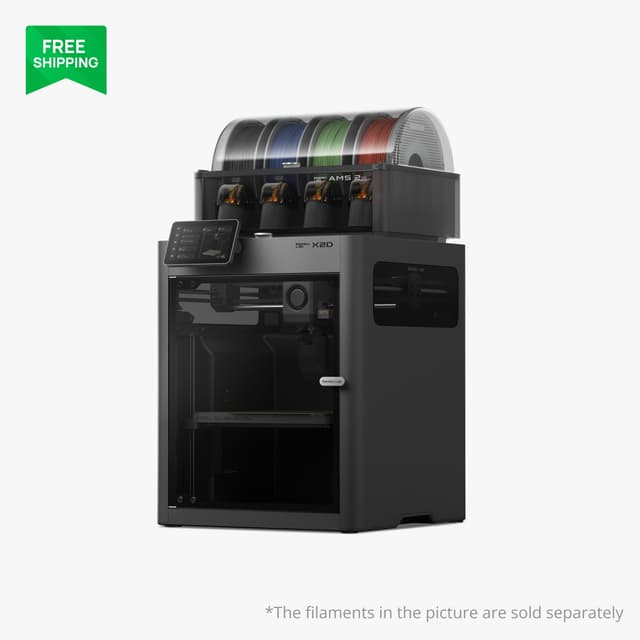
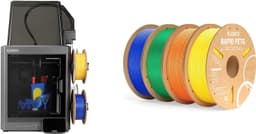
The strongest multi-color printer under $1,000: a second nozzle means a two-color or two-material print alternates nozzles instead of purging, and Domechy measured about 12 g of waste on a two-color print that cost the P2S about 68 g. The Combo's AMS 2 Pro dries spools and handles four colors, and the X2D adds the list's only actively heated chamber (65°C), a 1,000 mm/s toolhead and a 120°C bed, so nylon and polycarbonate are within reach. It ranks above the P2S Combo because it keeps the same Bambu Studio software and AMS ecosystem while wasting less filament and handling more materials, for about $120–150 more. Its limits: the AMS feeds only the main nozzle, so beyond two colors it purges like a single-nozzle printer (about 107 g against the P2S's 172 g on Domechy's four-color print), and the Bowden-fed second nozzle is slower and strings more.
Two nozzles: two-color and two-material prints swap nozzles instead of purging, cutting waste and print time against the single-nozzle P2SThe only actively heated chamber in this list (65°C), with a 120°C bed for nylon and polycarbonateAMS 2 Pro with built-in filament drying, plus Bambu Studio and the MakerWorld libraryThe AMS 2 Pro feeds only the main nozzle; the second nozzle needs an external spool or a second AMSThe Bowden-fed auxiliary nozzle is slower (about 200 mm/s) and strings more than the main nozzle
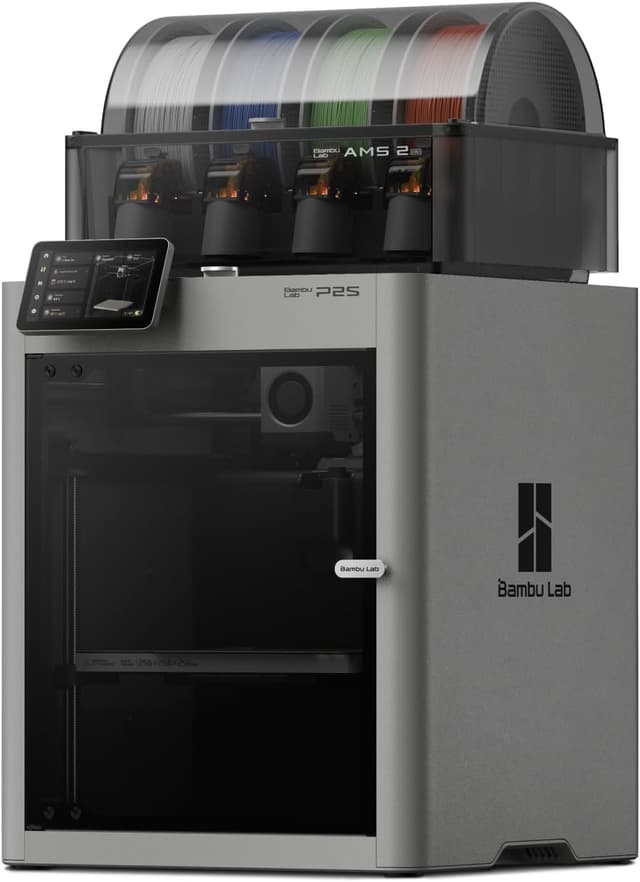
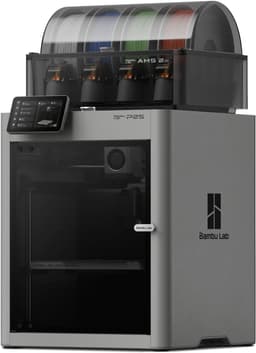
The most complete single-nozzle multi-color package and the best pick sold on Amazon US: the AMS 2 Pro dries spools while it prints, expands from 4 to 20 colors with extra AMS units, and Bambu Studio with the MakerWorld library makes painting and slicing a multi-color model easier than on any non-Bambu pick. The enclosed CoreXY printer (600 mm/s, hardened-steel 300°C nozzle, a chamber that retains about 50°C) also handles ABS and ASA. It ranks below the X2D because every color change purges through its single nozzle and its chamber is not actively heated. It ranks above the Snapmaker U1 because the U1 stops at four colors, has an open top and no drying, while the P2S gives up only purge waste and slower color changes in exchange for a more polished, more expandable system at a similar price.
Built-in filament drying in the AMS 2 Pro (shared only with the X2D Combo here)Expansion from 4 to 20 colors with extra AMS 2 Pro and AMS HT unitsThe most polished software here: Bambu Studio, the Bambu Handy app and the MakerWorld library of ready-to-print multi-color modelsPurge waste on every color change, which on prints with many color changes can rival the weight of the model itselfColor changes take far longer than the Snapmaker U1's tool swaps, which adds hours to heavily multi-colored prints
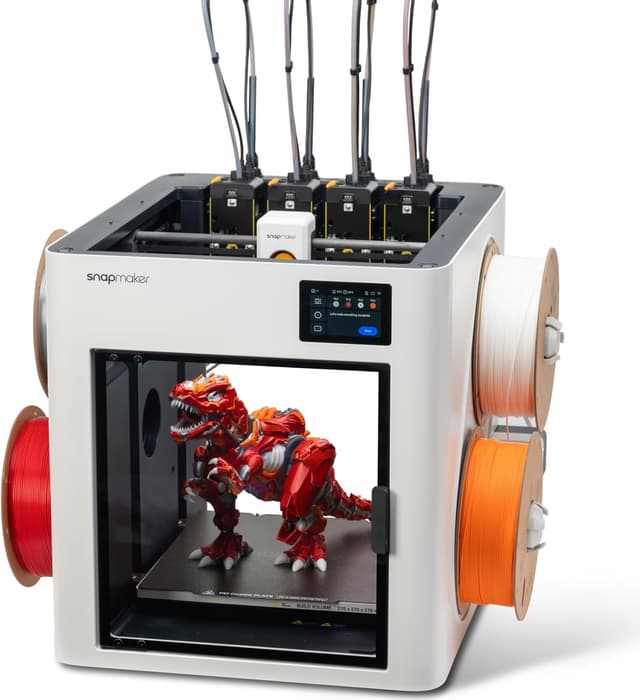
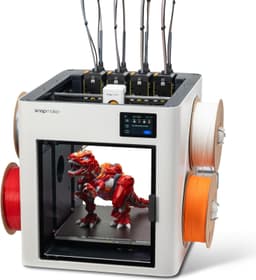
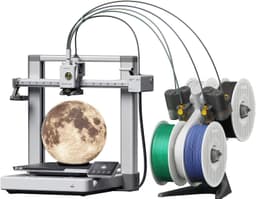
The most advanced multi-color mechanism here and the only toolchanger: four independent toolheads mean a color change is a tool swap rather than a purge, so multi-color prints waste a fraction of the filament the single-nozzle systems burn, and Tom's Hardware timed swaps at about 12 seconds. Unlike the X2D, whose second nozzle covers only a second color, it keeps all four colors purge-free. Each head runs its own temperature, which makes PLA with PETG supports and other true multi-material prints practical, and its 270 mm cube is the largest build volume in the list. It ranks third because it tops out at four colors, needs the optional top cover for ABS and ASA, and ships with stainless rather than hardened nozzles. It beats the Elegoo Centauri Carbon 2 Combo on purge waste, swap speed and multi-material flexibility, which outweighs the Elegoo's full enclosure and 350°C nozzle.
Near-zero purge waste from four dedicated toolheadsTool swaps of about 12 seconds in Tom's Hardware's timingPer-toolhead temperatures for genuine multi-material prints, such as PLA with PETG supportsAn open top: ABS and ASA need the optional top cover, an extra purchaseA hard limit of four colors, with no way to add more spools to a print
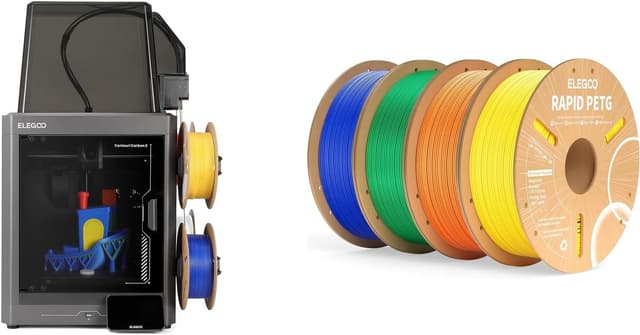
The cheapest enclosed multi-color printer here, and the current Amazon listing adds 4 kg of PETG: CANVAS swaps four RFID-detected spools on an enclosed CoreXY frame with the hottest nozzle in the list (350°C, hardened steel), so ABS, ASA and carbon-fiber-filled filaments are within reach. TechRadar rated it among the cheapest and most reliable multi-filament printers. It ranks fourth because CANVAS tops out at four colors and does not dry filament, and Notebookcheck had to correct the default first-layer offset. It beats the Bambu Lab A1 Combo on enclosure, acceleration (20,000 vs 10,000 mm/s²) and material range, which matters more than the A1's simpler software for anyone printing beyond PLA and PETG.
The hottest nozzle in this list (350°C, hardened steel)An enclosed CoreXY frame with four-color printing for about the price of the open-frame A1 ComboRFID filament detection and automatic refill when a spool runs outA four-color ceiling: CANVAS tops out at four spoolsNo filament drying, and the top-mounted CANVAS makes the machine about 74 cm tall
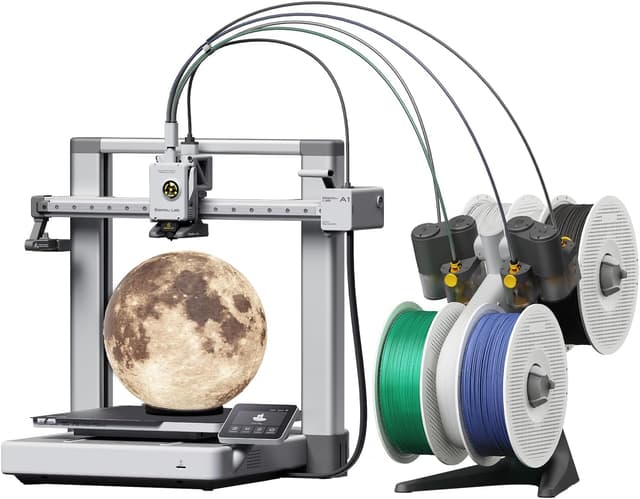
The easiest and lowest-cost way into multi-color printing: full-auto calibration, the AMS lite and Bambu Studio's paint tools let a first-time owner print a four-color model with almost no tuning, and Tom's Hardware's reviewer named AMS lite their favorite multicolor system for its simplicity and reliability. It ranks last because it is an open-frame bed slinger (10,000 mm/s² acceleration against 20,000 on every other printer here), it suits PLA, PETG and TPU rather than ABS or ASA, and AMS lite cannot chain beyond four colors, dry filament or feed TPU. Choose it over the Centauri Carbon 2 Combo if you will print mostly PLA and value the Bambu Lab ecosystem over an enclosure.
The easiest setup here thanks to full-auto calibrationCore-mounted spools in the AMS lite that accept more third-party spool sizes, including cardboardBambu Studio's paint tools and the MakerWorld library of ready-to-print multi-color modelsAn open-frame bed slinger: not suited to ABS or ASA, and its 10,000 mm/s² acceleration is half that of the CoreXY printers hereAMS lite cannot be chained beyond four colors and has no filament drying
Multi-color 3D printing comes in three designs, and choosing between them matters more than any other spec. Three printers here use a single nozzle fed by a filament changer: the P2S Combo's AMS 2 Pro, the A1 Combo's AMS lite and the Centauri Carbon 2 Combo's CANVAS. At every color change the printer cuts the filament, retracts it, loads the next spool and purges the old color out of the nozzle. These systems are the cheapest way to get four colors and the only way to get more (up to 20 on the Bambu Lab P2S Combo), but each change takes time and wastes filament, and on a print with hundreds of changes the purged plastic can rival the model's own weight. The Bambu Lab X2D adds a second nozzle to the same AMS 2 Pro: a two-color or two-material print alternates nozzles instead of purging, and Domechy measured about 12 g of waste on a two-color print that cost the single-nozzle P2S about 68 g. With one AMS only the main nozzle is fed automatically, though, so prints with more than two colors still purge on it. A toolchanger such as the Snapmaker U1 gives each color its own toolhead, so a change is a swap of about 12 seconds (Tom's Hardware's figure) with almost no waste, and each head can run a different material at its own temperature, which makes soluble or breakaway supports practical. The catch is a hard four-color ceiling. Next, match the machine to your materials. PLA, PETG and TPU print fine on an open frame like the A1 Combo or the U1. ABS and ASA need an enclosure to stop warping, which the X2D, P2S and Centauri Carbon 2 Combo have and the U1 adds with an optional top cover (only the X2D actively heats its chamber, to 65°C, for nylon and polycarbonate); carbon- and glass-fiber filaments also need a hardened-steel nozzle. Then look at filament care: only the AMS 2 Pro in the X2D and P2S Combos dries spools while printing, and damp filament strings, prints weakly and is more likely to snag in a filament changer, so buyers in humid rooms should budget for a separate dryer with any other pick. Finally, weigh software. Bambu Studio and the MakerWorld library make painting and slicing multi-color models the easiest, while Snapmaker and Elegoo offer OrcaSlicer-based alternatives that are capable but less polished. We compared these printers on published specifications, independent expert reviews and owner feedback; we do not test products ourselves.
We rank these printers by researching published manufacturer specifications, independent expert reviews (Tom's Hardware, Notebookcheck, TechRadar, How-To Geek, Domechy, All3DP, 3DNatives and 3dprinting.com) and verified owner feedback, plus current Amazon US and official brand-store listings for availability and price. We do not test products ourselves; swap times, waste figures and print-quality observations are attributed to the reviewers who reported them. Every pick is a current-generation printer whose multi-color bundle sells for under $1,000 in the US, on Amazon or from the brand's own store. Because the multi-color system is the reason to buy one of these, we weight it most heavily, then print quality and speed and ease of use, then material capability and value. Bambu Lab has three picks because the X2D, P2S and A1 occupy distinct price and capability tiers; the other two picks cover the main competing designs, a toolchanger and a low-cost enclosed filament changer.
Multi-Color System
How many colors it handles out of the box and with expansion, how fast it changes color, how much filament each change purges, and how reliably reviewers found it swapping
30%
Print Quality & Speed
Surface quality and dimensional accuracy in independent reviews, plus rated speed, acceleration and motion system (CoreXY or bed slinger)
20%
Material Capability
Which filaments it handles well, based on enclosure, chamber heat retention, maximum nozzle temperature and hardened-steel parts for ABS, ASA and fiber-filled filaments
15%
Ease of Use & Software
Setup and calibration effort, slicer and app quality, RFID filament recognition and access to ready-to-print multi-color models
20%
Value
Multi-color capability per dollar at the current US price, including what the bundle ships with
Toolchanger, dual nozzle or AMS-style system: which multi-color printer should I buy?
A single-nozzle system (Bambu Lab's AMS 2 Pro and AMS lite, Elegoo's CANVAS) feeds several spools into one nozzle, so every color change cuts the filament, purges the old color and loads the new one. It is the cheapest per color and expands furthest (up to 20 colors on the P2S Combo), but it wastes filament and time on every change. A dual-nozzle printer like the Bambu Lab X2D keeps a second color or material loaded in its second nozzle, so two-color prints and prints with soluble supports barely purge, while extra colors still swap through the main nozzle. A toolchanger like the Snapmaker U1 gives each of four colors its own toolhead, so every change is a quick tool swap with almost no waste. Choose a toolchanger if your prints use four colors often, the X2D if you mostly print two colors or two materials, and an AMS-style system if you want more than four colors or the lowest price.
How much filament does multi-color printing waste?
On single-nozzle systems, it depends on how many color changes a print needs. Tom's Hardware reported that a pair of four-color fire trucks printed on a Bambu Lab A1 mini with AMS lite used 166 g of filament in the models and flushed 200 g before slicer tuning, 115 g after. More nozzles cut that sharply: Domechy measured about 12 g of waste on a two-color print with the X2D against about 68 g on the P2S, and about 107 g against 172 g on a four-color print, where the X2D's second nozzle helps less. A toolchanger such as the Snapmaker U1 primes each nozzle instead of purging, so its waste stays low at four colors. Purge-reduction tricks such as flushing into infill or supports help on every printer.
Do I need an enclosed printer for multi-color printing?
Not for PLA, PETG or TPU, which is what most multi-color models use. An enclosure matters for ABS and ASA, which warp and crack in drafts, and for keeping fumes contained. The X2D Combo, P2S Combo and Centauri Carbon 2 Combo are fully enclosed, and the X2D is the only one with an actively heated chamber (65°C) for nylon and polycarbonate. The Snapmaker U1 needs its optional top cover for ABS and ASA, and the open-frame A1 Combo is best kept to PLA, PETG and TPU.
How many colors do I need?
Four covers most multi-color models on sites like MakerWorld and Printables, and every printer here handles four out of the box. More slots mainly help if you want to keep several colors or materials loaded at once instead of swapping spools by hand. If you expect to grow, the Bambu Lab P2S Combo expands to 20 colors and the X2D also accepts extra AMS units; the Snapmaker U1, Elegoo Centauri Carbon 2 Combo and Bambu Lab A1 Combo stay at four.
Why aren't the Creality K2 Combo, Creality K3, Prusa CORE One or QIDI Q2 Combo on this list?
The Creality K2 Combo is a capable enclosed printer that expands to 16 colors, but it purges on every change like the P2S without the AMS 2 Pro's filament drying, so the dual-nozzle X2D took its place. The Creality K3, a four-nozzle printer priced at $849, was still on pre-order (US shipping from early November 2026) with no independent reviews when this list was updated; we will assess it once reviews are published. Prusa's CORE One with its INDX toolchanger sells direct, and All3DP's price table lists the assembled four-toolhead version at about $2,000, double this list's cap. QIDI's Q2 and Plus5 are strong high-temperature printers, but Tom's Hardware found the QIDI Box multi-color unit unreliable in its Q2 Combo review and said it still did not work in its Plus5 review, which rules them out for a multi-color list.