Bambu Lab X2D Combo vs Snapmaker U1
Bambu Lab X2D Combo (#1, best overall) vs Snapmaker U1 (#3): in our Multi-Color 3D Printers Under $1,000 scoring the Bambu Lab X2D Combo totals 9.1/10 and the Snapmaker U1 8.3/10. The Bambu Lab X2D Combo lists at $899; the Snapmaker U1's current price is on the merchant page.
We may earn a commission when you buy through our links. Prices and availability shown are accurate as of Oct 17, 2026 and are subject to change; the merchant's price at purchase applies.
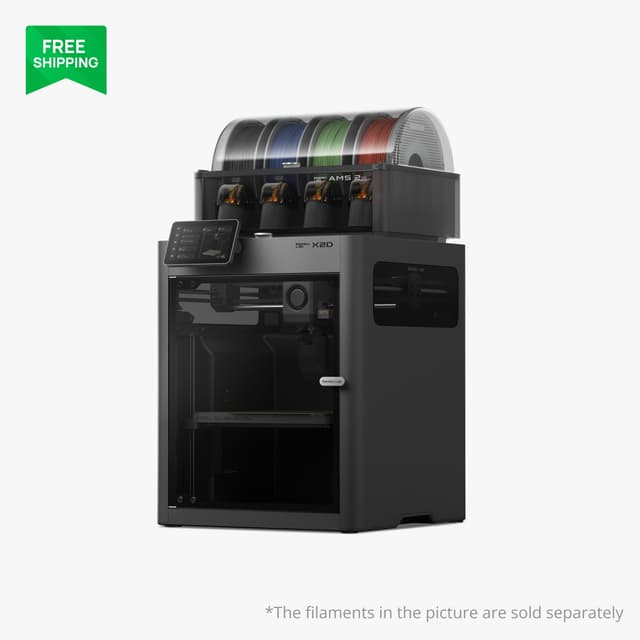
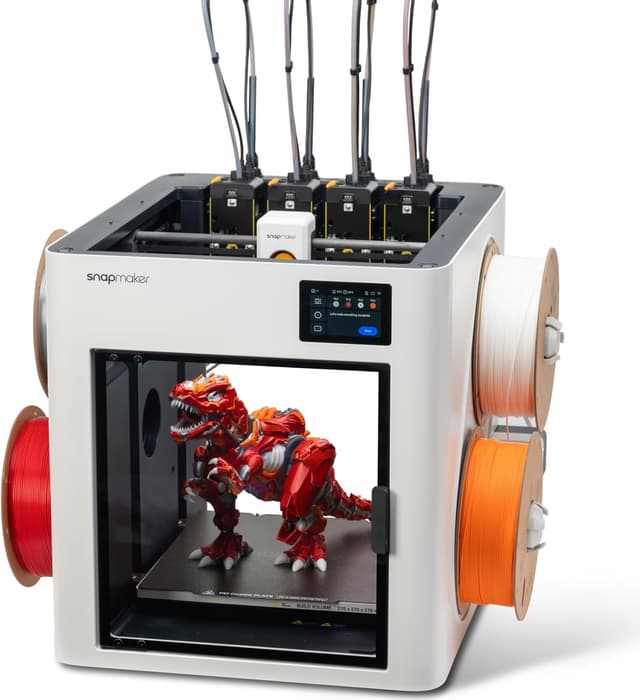
TopsFive comparison scores
Side by side
| Bambu Lab X2D Combo | Snapmaker U1 | |
|---|---|---|
| Multi-Color System | Dual nozzle + AMS 2 Pro (filament swapping on the main nozzle) | SnapSwap toolchanger (4 independent toolheads) |
| Max Colors | 4 in the AMS 2 Pro + 1 external spool; more with extra AMS units | 4 |
| Toolheads / Nozzles | 1 toolhead, 2 nozzles | 4 toolheads, 4 nozzles |
| Filament Drying | Yes, built into the AMS 2 Pro | No |
| Build Volume | 256 × 256 × 260 mm (235.5 × 256 × 256 mm with both nozzles) | 270 × 270 × 270 mm |
| Max Speed | 1,000 mm/s | 500 mm/s |
| Max Nozzle Temp | 300°C (hardened steel) | 300°C (stainless steel) |
| Enclosure / Chamber | Fully enclosed; active chamber heating to 65°C | Open top; optional top cover for ABS/ASA |
| Weight | 16.25 kg (printer) | 18.2 kg |
| Max Acceleration | 20,000 mm/s² | 20,000 mm/s² |
| Max Bed Temp | 120°C | 100°C |
| Max Hotend Flow | 40 mm³/s (65 mm³/s with the optional high-flow hotend) | 32 mm³/s |
| Dimensions | 392 × 406 × 478 mm (printer) | 584 × 499 × 730 mm |
| Air Filtration | G3 pre-filter, HEPA H12, activated carbon | — |
| Slicer | Bambu Studio | Snapmaker Orca, OrcaSlicer |
| Firmware | — | Klipper |
| Price | $899 → | Check price → |
How they differ in real use
Built from our multi color 3d printers scoring, each product's published specifications, and verified owner feedback — not hands-on testing.
Both the Bambu Lab X2D Combo and the Snapmaker U1 made our Top 5 Multi-Color 3D Printers Under $1,000, at #1 (best overall) and #3. The strongest multi-color printer under $1,000: a second nozzle means a two-color or two-material print alternates nozzles instead of purging, and Domechy measured about 12 g of waste on a two-color print that cost the P2S about 68 g. The Combo's AMS 2 Pro dries spools and handles four colors, and the X2D adds the list's only actively heated chamber (65°C), a 1,000 mm/s toolhead and a 120°C bed, so nylon and polycarbonate are within reach. It ranks above the P2S Combo because it keeps the same Bambu Studio software and AMS ecosystem while wasting less filament and handling more materials, for about $120–150 more. Its limits: the AMS feeds only the main nozzle, so beyond two colors it purges like a single-nozzle printer (about 107 g against the P2S's 172 g on Domechy's four-color print), and the Bowden-fed second nozzle is slower and strings more. The most advanced multi-color mechanism here and the only toolchanger: four independent toolheads mean a color change is a tool swap rather than a purge, so multi-color prints waste a fraction of the filament the single-nozzle systems burn, and Tom's Hardware timed swaps at about 12 seconds. Unlike the X2D, whose second nozzle covers only a second color, it keeps all four colors purge-free. Each head runs its own temperature, which makes PLA with PETG supports and other true multi-material prints practical, and its 270 mm cube is the largest build volume in the list. It ranks third because it tops out at four colors, needs the optional top cover for ABS and ASA, and ships with stainless rather than hardened nozzles. It beats the Elegoo Centauri Carbon 2 Combo on purge waste, swap speed and multi-material flexibility, which outweighs the Elegoo's full enclosure and 350°C nozzle.
We score multi-color 3d printers under $1,000 on Multi-Color System (30%), Print Quality & Speed (20%), Material Capability (15%), Ease of Use & Software (20%) and Value (15%). On that basis the Bambu Lab X2D Combo totals 9.1 out of 10 and the Snapmaker U1 8.3. The widest gap is Material Capability, where the Bambu Lab X2D Combo scores 10 against 6 for the Snapmaker U1: which filaments it handles well, based on enclosure, chamber heat retention, maximum nozzle temperature and hardened-steel parts for ABS, ASA and fiber-filled filaments. Print Quality & Speed also separates them: 10 for the Bambu Lab X2D Combo versus 8 for the Snapmaker U1. The Snapmaker U1 claws back ground on Multi-Color System and Value.
On paper, the specifications that actually differ: Multi-Color System: Dual nozzle + AMS 2 Pro (filament swapping on the main nozzle) on the Bambu Lab X2D Combo versus SnapSwap toolchanger (4 independent toolheads) on the Snapmaker U1; Max Colors: 4 in the AMS 2 Pro + 1 external spool; more with extra AMS units on the Bambu Lab X2D Combo versus 4 on the Snapmaker U1; Toolheads / Nozzles: 1 toolhead, 2 nozzles on the Bambu Lab X2D Combo versus 4 toolheads, 4 nozzles on the Snapmaker U1; Filament Drying: Yes, built into the AMS 2 Pro on the Bambu Lab X2D Combo versus No on the Snapmaker U1; Build Volume: 256 × 256 × 260 mm (235.5 × 256 × 256 mm with both nozzles) on the Bambu Lab X2D Combo versus 270 × 270 × 270 mm on the Snapmaker U1; Max Speed: 1,000 mm/s on the Bambu Lab X2D Combo versus 500 mm/s on the Snapmaker U1.
The Bambu Lab X2D Combo lists at $899; the Snapmaker U1's current price is on the merchant page. Owners praise the Bambu Lab X2D Combo for two nozzles: two-color and two-material prints swap nozzles instead of purging, cutting waste and print time against the single-nozzle P2S and the only actively heated chamber in this list (65°C), with a 120°C bed for nylon and polycarbonate; the most common complaint is the AMS 2 Pro feeds only the main nozzle; the second nozzle needs an external spool or a second AMS. Owners praise the Snapmaker U1 for near-zero purge waste from four dedicated toolheads and tool swaps of about 12 seconds in Tom's Hardware's timing; the most common complaint is an open top: ABS and ASA need the optional top cover, an extra purchase.
Bambu Lab X2D Combo
- Two nozzles: two-color and two-material prints swap nozzles instead of purging, cutting waste and print time against the single-nozzle P2S
- The only actively heated chamber in this list (65°C), with a 120°C bed for nylon and polycarbonate
- AMS 2 Pro with built-in filament drying, plus Bambu Studio and the MakerWorld library
- A 1,000 mm/s toolhead with HEPA H12 and activated-carbon filtration
- The AMS 2 Pro feeds only the main nozzle; the second nozzle needs an external spool or a second AMS
- The Bowden-fed auxiliary nozzle is slower (about 200 mm/s) and strings more than the main nozzle
- Beyond two colors it still purges on the main nozzle: Domechy measured about 107 g of waste on a four-color print, against about 172 g on the P2S
Snapmaker U1
- Near-zero purge waste from four dedicated toolheads
- Tool swaps of about 12 seconds in Tom's Hardware's timing
- Per-toolhead temperatures for genuine multi-material prints, such as PLA with PETG supports
- The largest build volume here (270 mm cube), with Klipper firmware, OrcaSlicer and RFID auto-feed
- An open top: ABS and ASA need the optional top cover, an extra purchase
- A hard limit of four colors, with no way to add more spools to a print
- Stainless-steel nozzles as standard; carbon- and glass-fiber filaments need hardened-steel nozzles bought separately
Which should you buy?
The Bambu Lab X2D Combo is the better fit for two-color and two-material prints with minimal waste and soluble or breakaway supports; it is the higher-scoring pick here, chiefly for Material Capability and Print Quality & Speed. The Snapmaker U1 is the better fit for multi-color prints with minimal filament waste and multi-material prints such as PLA with PETG supports, and the stronger choice if Multi-Color System and Value matter more to you than the overall score. The Bambu Lab X2D Combo is a poor fit for four-color prints without purging (the Snapmaker U1's four toolheads suit them better); the Snapmaker U1 is a poor fit for more than four colors in one print.
Choose the Bambu Lab X2D Combo if
- Two-color and two-material prints with minimal waste
- Soluble or breakaway supports
- Nylon, polycarbonate and other filaments that need a heated chamber
Skip it if
- Four-color prints without purging (the Snapmaker U1's four toolheads suit them better)
- Budgets under about $900
Choose the Snapmaker U1 if
- Multi-color prints with minimal filament waste
- Multi-material prints such as PLA with PETG supports
- Large prints with frequent color changes
Skip it if
- More than four colors in one print
- ABS or ASA without buying the top cover
Common questions
Is the Bambu Lab X2D Combo better than the Snapmaker U1?
In our Multi-Color 3D Printers Under $1,000 ranking the Bambu Lab X2D Combo scores higher overall, 9.1 to 8.3, with the biggest advantage in Material Capability. The Snapmaker U1 is stronger on Multi-Color System and Value, so it is the better pick if those matter most to you.
What is the main difference between the Bambu Lab X2D Combo and the Snapmaker U1?
The headline spec difference is Multi-Color System: Dual nozzle + AMS 2 Pro (filament swapping on the main nozzle) on the Bambu Lab X2D Combo versus SnapSwap toolchanger (4 independent toolheads) on the Snapmaker U1. In use, the gap that matters most is Material Capability (10 vs 6 in our scoring): which filaments it handles well, based on enclosure, chamber heat retention, maximum nozzle temperature and hardened-steel parts for ABS, ASA and fiber-filled filaments.