The best 3D printers for kids and teens, ranked on ease of use for a child, safety (enclosure, exposed hot parts, filtration), print quality, room to grow, noise and value: from the app-driven Toybox Alpha Three for young children to the self-calibrating Bambu Lab A1 mini and the enclosed Flashforge Adventurer 5M Pro for teens.
Updated November 2, 20265 rankedNo paid placements
We may earn a commission when you buy through our links.
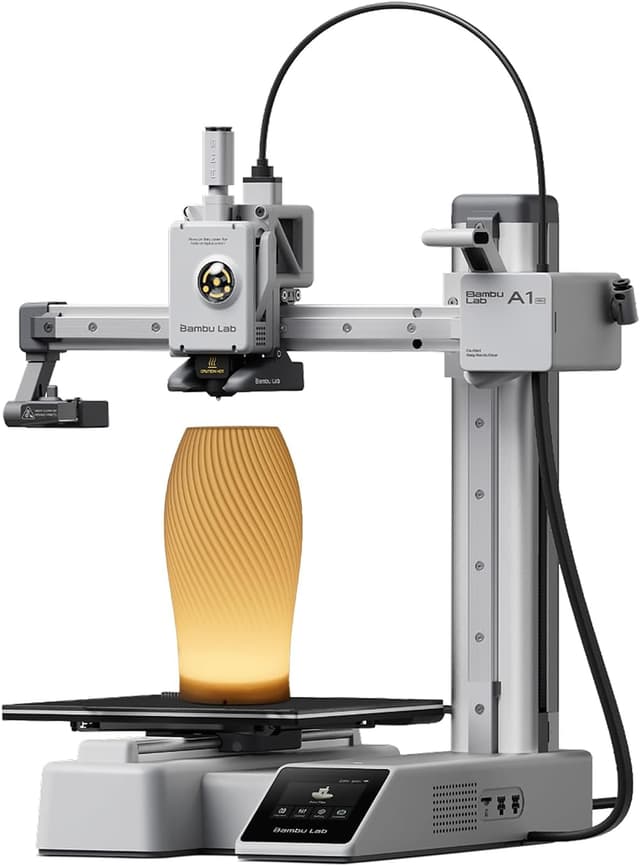
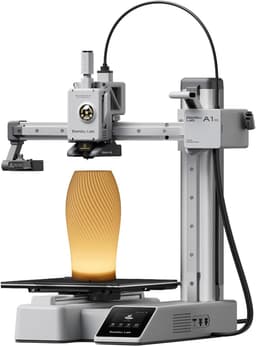
The best first 3D printer for most kids about nine and up, and the top pick of Tom's Hardware, 3DPrintGearLab and GeekBitz: full-auto calibration and a roughly 15-minute setup remove the bed-leveling step that defeats beginners, the Bambu Handy app prints MakerWorld models from a phone, and it runs under 48 dB in silent mode. It ranks above the Flashforge Adventurer 5M Pro because it is easier for a child to run, much quieter, cheaper and can add four-color printing later; the Adventurer wins only on enclosure and filtration. It beats the Toybox Alpha Three because its 180 mm cube holds about ten times the Toybox's print volume, so a child keeps using it for years instead of outgrowing it by about age 10. Its weakness is the open frame: the hot nozzle and moving bed are exposed, so younger children need an adult nearby.
Full-auto calibration and a roughly 15-minute setup, so there is no manual bed leveling for a child to get wrongPhone printing from the Bambu Handy app and the MakerWorld library of ready-to-print modelsRated under 48 dB in silent mode, quiet enough for a bedroom or shared roomOpen frame with an exposed hot nozzle and moving bed, so younger children need supervision180 mm cube build volume, smaller than the full-size A1, Adventurer 5M Pro or Ender-3 V3 SE
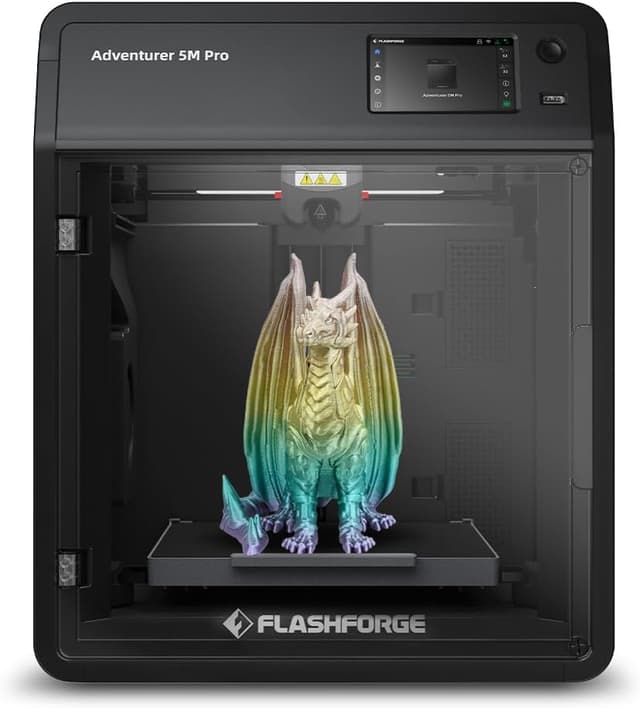
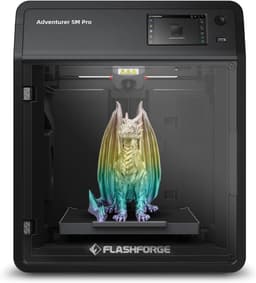
The best enclosed printer for teenagers and for homes where the hot parts should sit behind a door: an acrylic door and lid cover the nozzle and moving parts, HEPA plus activated-carbon filtration treats the air, and one-click auto leveling, a 4.3-inch touchscreen and a built-in camera keep it simple. It prints a 220 mm cube at up to 600 mm/s and, being enclosed, adds ABS and ASA to PLA, PETG and TPU. It ranks below the A1 mini because reviewers found it louder, its FlashPrint slicer is less polished than Bambu's app and model library, and it costs more. It ranks above the Toybox Alpha Three because it offers almost the same containment of hot parts with about 20 times the build volume and room to grow through the teenage years.
Fully enclosed with HEPA and activated-carbon filtration, the best containment of hot parts and fumes hereOne-click auto leveling and a large 4.3-inch touchscreen make day-to-day use simpleBuilt-in camera for watching prints from the appLouder than the Bambu Lab printers; its reviewer called it 'not super silent'FlashPrint slicer has limited material profiles (Orca-Flashforge is the better option)
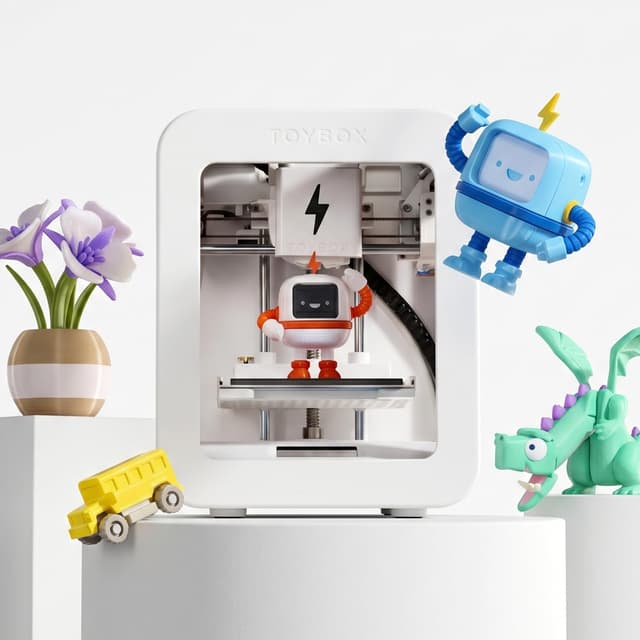
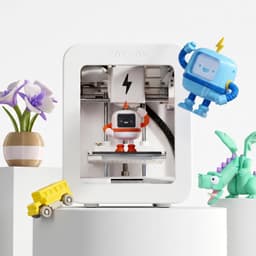
The easiest printer here and the right one for children of about five to eight, the age band 3DPrintGearLab and GeekBitz give it and the reason Popular Science named Toybox its top kids' pick: a child chooses a toy in the app and prints it over Wi-Fi, with no slicer, leveling or heated bed, in an enclosed print area. It ranks third because its 75 × 80 × 90 mm build area is tiny, it is PLA-only with Toybox's own rolls and Pro membership pushed hard, and reviewers expect most kids to outgrow it by about age 10 or 11. It ranks above the full-size Bambu Lab A1 for this list because, for a young child, its enclosed, unheated design and app-only workflow matter more than the A1's far larger and better-quality prints.
The simplest workflow here: pick a toy in the app and print, with no slicer, calibration or levelingEnclosed print area and no heated bed, which suits younger childrenLarge catalog of ready-to-print toys in the Toybox appTiny 75 × 80 × 90 mm build area limits prints to small toysPLA only, with Toybox pushing its own filament rolls and a paid Pro membership
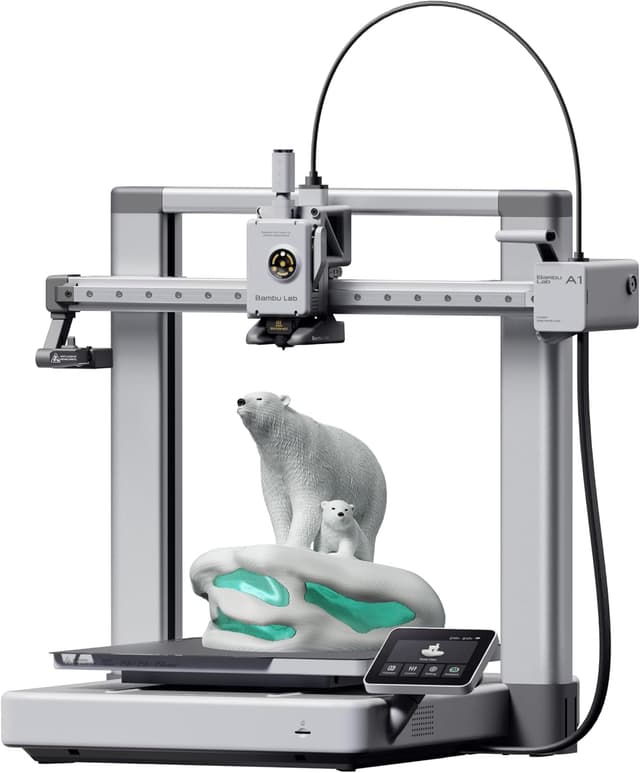
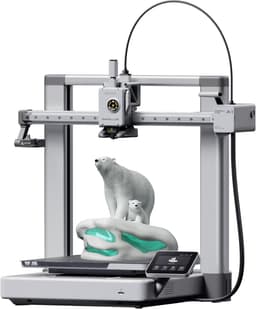
The printer to grow into, and 3DPrintGearLab's pick for that role at about age 10 and up: the same full-auto calibration, phone app and under-48 dB silent mode as the A1 mini, but a 256 mm cube (about 2.9 times the mini's volume) and a 100°C bed, so a tween or teen can print helmets, cosplay pieces and school projects in one piece. It ranks below the A1 mini because most children do not need the extra size, and the larger moving bed and footprint make it harder to place and supervise in a child's room. It ranks above the Creality Ender-3 V3 SE because it needs no tinkering, prints from a phone over Wi-Fi and adds four-color printing with an AMS lite, which justifies the extra cost over the Ender.
256 mm cube build volume, the largest in this listSame full-auto calibration, Bambu Handy app and MakerWorld library as the A1 miniRated under 48 dB in silent modeOpen frame with an exposed hot nozzle and a large moving bed; supervise younger childrenBigger footprint than the A1 mini needs a sturdy, deep desk
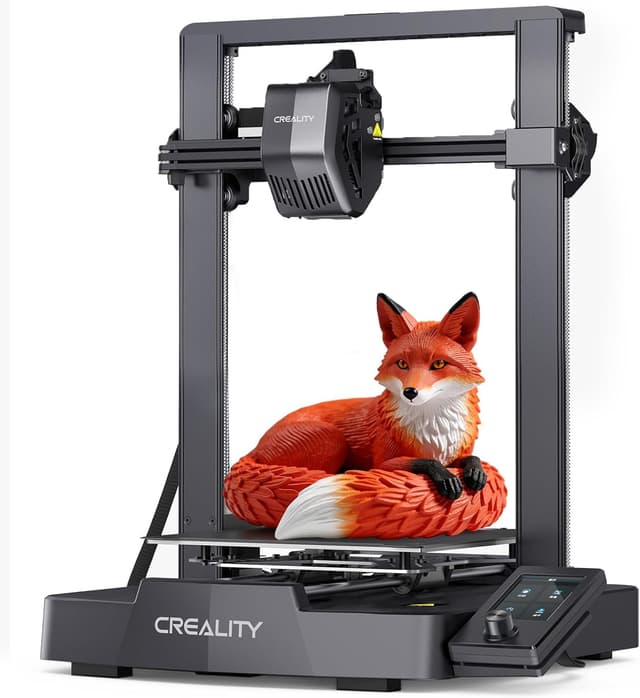
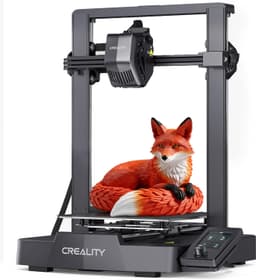
The cheapest way to give a teenager a full-size printer, and the budget teen pick in 3DPrintGearLab's and GeekBitz's guides: a 220 × 220 × 250 mm volume, CR Touch auto bed leveling and a Sprite direct-drive extruder that handles TPU, at the lowest price here. It ranks last because it asks the most of its owner: partial assembly, no Wi-Fi or phone app (prints go from a desktop slicer to a microSD card), a dial-driven 3.2-inch screen and an open frame. Against the Bambu Lab A1 it trades the A1's one-tap workflow and silent mode for a lower price and a more hackable design, which suits a teen who wants to learn how printers work rather than just print.
The lowest price in this list for a full-size 220 × 220 × 250 mm build volumeCR Touch automatic bed levelingSprite direct-drive extruder prints flexible TPUNo Wi-Fi or phone app: prints go through a desktop slicer and a microSD cardRequires some assembly and more tinkering than any other pick
A 3D printer for a child has to clear a different bar from one for an adult: the child has to be able to run it, and a parent has to be comfortable with it running in the house. Start with age, because the guides we researched agree on three bands. Children of about 5 to 8 are best served by a toy-style printer such as the Toybox Alpha Three, which prints from a phone or tablet app's catalog with no slicer, no bed leveling and no heated bed. From about 9, a self-calibrating printer such as the Bambu Lab A1 mini is usable with an adult nearby, and it will keep a child busy for years. Teenagers of about 12 and up can step up to an enclosed machine such as the Flashforge Adventurer 5M Pro or a hands-on budget model such as the Creality Ender-3 V3 SE.
Next, decide how much the enclosure matters. Every printer here has a nozzle above 200°C. Open-frame printers (the A1 mini, A1 and Ender-3 V3 SE) leave it and the moving bed exposed, so younger children need supervision and the printer should sit out of reach of siblings and pets. The Adventurer 5M Pro closes everything behind a door and filters its air with HEPA and activated carbon; the Toybox keeps its small print area enclosed and has no heated bed at all.
Then look at how a print actually starts, because that decides whether a child uses the printer on their own. The Toybox and the two Bambu Lab printers print ready-made models from a phone app with one tap. The Adventurer 5M Pro works from its touchscreen and app, with a desktop slicer for custom models. The Ender-3 V3 SE has no Wi-Fi: every print is sliced on a computer and carried over on a microSD card, which suits a teen who wants to learn the process and frustrates a younger child.
Finally, weigh build volume against how long the printer should last. The Toybox's 75 × 80 × 90 mm area prints small toys, and reviewers expect children to outgrow it by about age 10 or 11. The A1 mini's 180 mm cube covers most kids' projects, while the A1's 256 mm cube handles helmets and cosplay parts. Stick to PLA filament, which every guide recommends for children, run the printer in a ventilated room, and skip resin printers entirely. We compared these printers on published specifications, independent expert reviews and verified owner feedback; we do not test products ourselves.
We rank these printers by researching published manufacturer specifications, independent kids' and beginners' buying guides (Tom's Hardware, Popular Science, 3DPrintGearLab, GeekBitz and Makers101), independent reviews of individual printers and verified owner feedback, plus current Amazon US listings for availability. We do not test products ourselves; age ranges and observations are attributed to the publications that reported them. Because a child's printer has to be usable by the child, ease of use carries the most weight, followed by safety (enclosure, exposed hot and moving parts, heated bed, filtration) and print quality. Room to grow, noise and value make up the rest. Every pick is a current model sold new on Amazon US and prints PLA, the filament every guide recommends for children; resin printers are excluded because of their liquid resin and cleaning chemicals.
Ease of Use for Kids
Whether a child can start a print alone: setup time, automatic calibration or leveling, and app or touchscreen printing from a ready-made model library instead of a desktop slicer
25%
Safety
How well the design keeps children away from hazards: enclosure or exposed hot nozzle and moving bed, heated-bed temperature, and air filtration
20%
Print Quality & Reliability
Print quality and first-time success rate reported by independent reviewers and owners, including clogs and connectivity problems
20%
Room to Grow
How long a child can keep using it: build volume, supported filaments and upgrade paths such as multi-color add-ons
10%
Noise & Home Fit
Rated or reported noise, footprint and weight, which decide whether it can run in a bedroom or living area
10%
Value
What the printer delivers for a family at its current US price, including ongoing costs such as proprietary filament or memberships
The guides we researched split it into three bands. Children of about 5 to 8 do best with a toy-style printer like the Toybox Alpha Three, which prints from an app catalog with no setup. From about 9, a self-calibrating printer like the Bambu Lab A1 mini is usable with an adult nearby, and teenagers of about 12 and up can handle an enclosed printer like the Flashforge Adventurer 5M Pro or a hands-on model like the Creality Ender-3 V3 SE. Supervision matters more than the number: every printer here has a nozzle that runs above 200°C.
Is an enclosed 3D printer safer for kids?
An enclosure keeps small hands away from the hot nozzle and moving parts while the printer runs, which is why several kids' guides recommend one for children under 12. The Flashforge Adventurer 5M Pro is fully enclosed and filters its air, and the Toybox Alpha Three has an enclosed print area and no heated bed. The Bambu Lab A1 mini, A1 and Creality Ender-3 V3 SE are open-frame, so keep them out of reach of younger children and supervise their use.
Are 3D printer fumes safe for children?
Print PLA, the plant-based filament every pick here supports and every guide we researched recommends for kids; it gives off far fewer fumes than ABS or ASA. Run the printer in a ventilated room rather than a closed bedroom where possible. The Adventurer 5M Pro adds HEPA and activated-carbon filtration, which is useful if the printer will sit in a bedroom or study. Avoid resin printers for children because of their liquid resin and alcohol cleanup.
Does a kids' 3D printer need a computer?
Not for most picks here. The Toybox Alpha Three prints from a phone or tablet app, and the Bambu Lab A1 mini and A1 print MakerWorld models from the Bambu Handy app or their own touchscreens. The Flashforge Adventurer 5M Pro works from its touchscreen and app, though custom models go through a desktop slicer. The Creality Ender-3 V3 SE is the exception: it has no Wi-Fi, so prints are sliced on a computer and loaded on a microSD card.
Will my child outgrow a Toybox?
Probably by about age 10 or 11, according to GeekBitz. The Toybox Alpha Three's 75 × 80 × 90 mm build area limits it to small toys, and it prints PLA only. If your child is already 9 or older, or likely to stick with the hobby, the Bambu Lab A1 mini is a better long-term buy: its 180 mm cube holds about ten times the Toybox's volume and it can add four-color printing later.