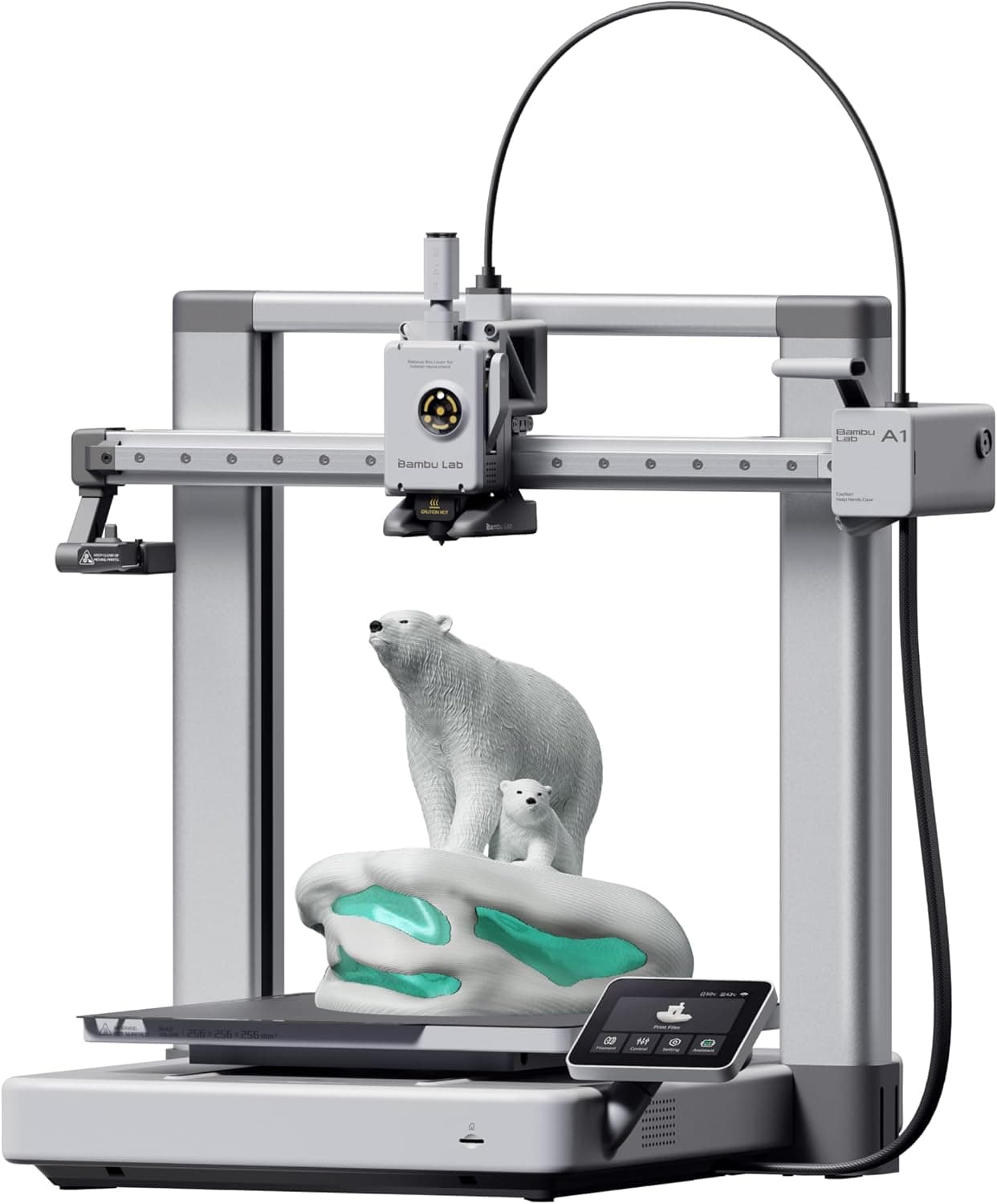
Bambu Lab A1
The full-size A1 is the A1 mini's bigger sibling and 3DPrintGearLab's 'best to grow into' pick for about ages 10 and up. It keeps the mini's full-auto calibration, phone printing and under-48 dB silent mode, but prints a 256 mm cube, more than 2.8 times the mini's volume, and its bed reaches 100°C. That makes it the better buy for a tween or teen who will move on to helmets, cosplay parts or school projects. It shares the mini's open bed-slinger frame, needs more desk space and costs more, which is why it sits below the mini for most families. This is the printer-only listing; the four-color A1 Combo is ranked in our multi-color list.
We may earn a commission when you buy through our links.
Our Verdict
The printer to grow into, and 3DPrintGearLab's pick for that role at about age 10 and up: the same full-auto calibration, phone app and under-48 dB silent mode as the A1 mini, but a 256 mm cube (about 2.9 times the mini's volume) and a 100°C bed, so a tween or teen can print helmets, cosplay pieces and school projects in one piece. It ranks below the A1 mini because most children do not need the extra size, and the larger moving bed and footprint make it harder to place and supervise in a child's room. It ranks above the Creality Ender-3 V3 SE because it needs no tinkering, prints from a phone over Wi-Fi and adds four-color printing with an AMS lite, which justifies the extra cost over the Ender.
Score Breakdown
Pros & Cons
Pros
- •256 mm cube build volume, the largest in this list
- •Same full-auto calibration, Bambu Handy app and MakerWorld library as the A1 mini
- •Rated under 48 dB in silent mode
- •Adds four-color printing later with an AMS lite
Cons
- •Open frame with an exposed hot nozzle and a large moving bed; supervise younger children
- •Bigger footprint than the A1 mini needs a sturdy, deep desk
- •Costs more than the A1 mini for a size a younger child rarely needs
Specifications
| Recommended Age | About 10+ (per 3DPrintGearLab) |
| Build Volume | 256 × 256 × 256 mm |
| Enclosure | Open frame (bed slinger) |
| Setup & Calibration | About 15–20 minutes; full-auto calibration |
| How Kids Print | Bambu Handy phone app or touchscreen, MakerWorld model library |
| Connectivity | Wi-Fi, microSD |
| Max Speed | 500 mm/s |
| Filaments | PLA, PETG, TPU |
| Max Bed Temp | 100°C |
| Max Nozzle Temp | 300°C |
| Noise | Under 48 dB in silent mode |
| Upgrade Path | AMS lite for 4-color printing |
Quick Answers
What is the recommended age of the Bambu Lab A1?
Bambu Lab A1 recommended age: About 10+ (per 3DPrintGearLab).
What is the build volume of the Bambu Lab A1?
Bambu Lab A1 build volume: 256 × 256 × 256 mm.
What is the enclosure of the Bambu Lab A1?
Bambu Lab A1 enclosure: Open frame (bed slinger).
What is the setup & calibration of the Bambu Lab A1?
Bambu Lab A1 setup & calibration: About 15–20 minutes; full-auto calibration.
What is the how kids print of the Bambu Lab A1?
Bambu Lab A1 how kids print: Bambu Handy phone app or touchscreen, MakerWorld model library.
What is the connectivity of the Bambu Lab A1?
Bambu Lab A1 connectivity: Wi-Fi, microSD.
What is the max speed of the Bambu Lab A1?
Bambu Lab A1 max speed: 500 mm/s.
What is the filaments of the Bambu Lab A1?
Bambu Lab A1 filaments: PLA, PETG, TPU.
Who is the Bambu Lab A1 for?
It suits tweens and teens ready for larger prints, cosplay, school and maker projects, families who want one printer for kids and adults. It is not the right pick for small desks, young children printing unsupervised.
Is the Bambu Lab A1 worth buying?
The full-size A1 is the A1 mini's bigger sibling and 3DPrintGearLab's 'best to grow into' pick for about ages 10 and up. It keeps the mini's full-auto calibration, phone printing and under-48 dB silent mode, but prints a 256 mm cube, more than 2.8 times the mini's volume, and its bed reaches 100°C. That makes it the better buy for a tween or teen who will move on to helmets, cosplay parts or school projects. It shares the mini's open bed-slinger frame, needs more desk space and costs more, which is why it sits below the mini for most families. This is the printer-only listing; the four-color A1 Combo is ranked in our multi-color list. It ranks #4 in our Top 5 3D Printers for Kids. The printer to grow into, and 3DPrintGearLab's pick for that role at about age 10 and up: the same full-auto calibration, phone app and under-48 dB silent mode as the A1 mini, but a 256 mm cube (about 2.9 times the mini's volume) and a 100°C bed, so a tween or teen can print helmets, cosplay pieces and school projects in one piece. It ranks below the A1 mini because most children do not need the extra size, and the larger moving bed and footprint make it harder to place and supervise in a child's room. It ranks above the Creality Ender-3 V3 SE because it needs no tinkering, prints from a phone over Wi-Fi and adds four-color printing with an AMS lite, which justifies the extra cost over the Ender.
Who Is This For?
Best For
- Tweens and teens ready for larger prints
- Cosplay, school and maker projects
- Families who want one printer for kids and adults
Not For
- Small desks
- Young children printing unsupervised
Where to Buy
Appears In
Compare Head-to-Head
Customer Reviews
Alternatives to Consider
Bambu Lab A1 mini
Bambu Lab
Bambu Lab's compact open-frame printer is the pick most kids' 3D printer roundups land on for children of about nine and up: Tom's Hardware ranks it first for kids and teens, 3DPrintGearLab names it best overall and GeekBitz calls it the strongest overall pick. It sets up in roughly 15 minutes, calibrates itself, prints a 180 mm cube at up to 500 mm/s and runs under 48 dB in silent mode, and the Bambu Handy app sends ready-made MakerWorld models to it from a phone. The trade-off for a family is the open frame: the hot nozzle and moving bed are exposed, so reviewers advise adult supervision for younger children. Amazon sells it bundled with Bambu Lab's LED Lamp Kit.
Flashforge Adventurer 5M Pro
Flashforge
The Adventurer 5M Pro is the enclosed choice in this list: an acrylic door and lid close off the hot nozzle and moving parts, and HEPA plus activated-carbon filtration treats the air inside, which Flashforge pitches at study rooms and classrooms. It is a CoreXY printer rated at up to 600 mm/s over a 220 mm cube, with one-click auto leveling, a 4.3-inch touchscreen, a built-in camera and tool-free nozzle swaps. Anton Mansson's review calls it a great package for enthusiasts and beginners, while noting it is louder than he would like and that Flashforge's own FlashPrint slicer has thin material profiles. It suits teenagers, or a household that wants the printer's hot parts behind a door.
Toybox Alpha Three 3D Printer
Toybox
Toybox is the printer built for young children, and Popular Science and 3DPrintGearLab both name it their pick for the youngest makers (3DPrintGearLab and GeekBitz put it at about ages 5 to 8). There is no slicer and no bed leveling: a child picks a toy from the app's catalog on a phone or tablet and the Alpha Three prints it over Wi-Fi, in plant-based PLA, with no heated bed. The cost of that simplicity is size and flexibility. Its 75 × 80 × 90 mm build area is tiny, Toybox's own filament rolls and Pro membership are pushed hard, and reviewers expect most kids to outgrow it by about age 10 or 11.
Creality Ender-3 V3 SE
Creality
The Ender-3 V3 SE is the budget teen pick in 3DPrintGearLab's and GeekBitz's kids' guides and the cheapest printer here. It prints a 220 × 220 × 250 mm volume at up to 250 mm/s, levels its bed with a CR Touch probe, and its Sprite direct-drive extruder handles flexible TPU as well as PLA and PETG. It is also the most hands-on printer in this list: it needs some assembly, has no Wi-Fi (files go on a microSD card from a desktop slicer) and uses a dial-driven 3.2-inch screen. For a teenager who wants to learn how a printer works, that is part of the appeal; for a younger child, it is a reason to choose one of the picks above.