MacBook Pro 16 M3 Max
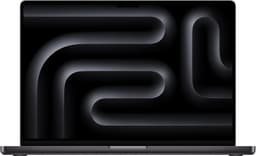
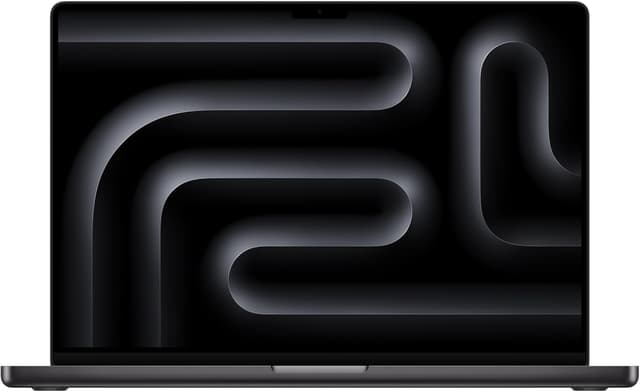
The 16-inch MacBook Pro is still the strongest all-around creative workstation in this data set thanks to its XDR display, quiet sustained performance, battery life, and broad creative-app support.
Laptops with strong displays, memory, and sustained performance for design and creative work.
We may earn a commission when you buy through our links.

The 16-inch MacBook Pro is still the strongest all-around creative workstation in this data set thanks to its XDR display, quiet sustained performance, battery life, and broad creative-app support.

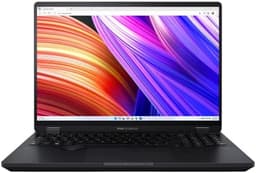
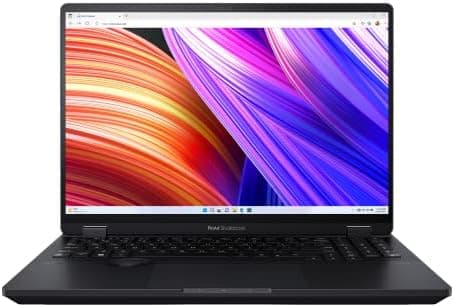
The ProArt Studiobook is the best Windows pick for heavier creative work because it combines an OLED display, RTX graphics, and creator-focused controls.

The XPS 15 remains a polished Windows creator laptop with a strong OLED option and premium chassis, though its older platform keeps it behind the ProArt for demanding workloads.

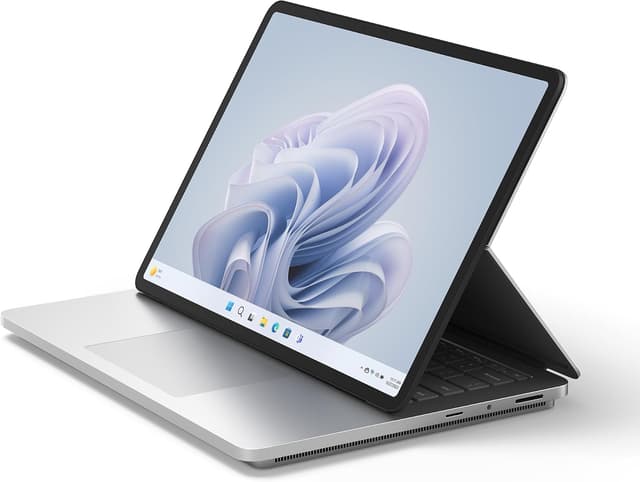
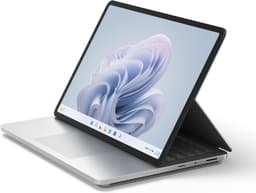
The Surface Laptop Studio 2 is the best fit for pen-first illustrators and designers who value its convertible form more than raw GPU-per-dollar value.
The MacBook Air M4 replaces the dead HP Envy listing as the lightweight value pick for Figma, Illustrator, Photoshop, and light creative work; it is not the right choice for heavy video or 3D.
| Product | Display Quality · 35% | Performance · 30% | Build Quality · 15% | Portability · 10% | Value · 10% | Score | Price |
|---|---|---|---|---|---|---|---|
1MacBook Pro 16 M3 Max | 10 | 10 | 10 | 7 | 7 | 9.4 | $3499 |
2ASUS ProArt Studiobook 16 | 10 | 9.5 | 9 | 6 | 7.5 | 9.0 | $2299 |
3Dell XPS 15 | 9.5 | 8.5 | 9.5 | 8 | 7.5 | 8.8 | $1799 |
4Microsoft Surface Laptop Studio 2 | 9 | 8 | 9 | 8 | 7 | 8.4 | $1999 |
5MacBook Air M4 | 8 | 8.1 | 9 | 9.5 | 8.1 | 8.3 | $1099 |
| #1 | #2 | #3 | #4 | #5 | |
|---|---|---|---|---|---|
| Product | ![]() | ![]() | ![]() | ![]() | |
| Brand | Apple | ASUS | Dell | Microsoft | Apple |
| Operating System | macOS | Windows 11 | Windows 11 | Windows 11 | macOS |
| CPU | Apple M3 Max | Intel Core i9-13980HX | Intel Core i7-13700H | Intel Core i7-13700H | Apple M4 (10-core CPU) |
| RAM | 36GB - 128GB | 32GB - 64GB | 16GB - 64GB | 16GB - 64GB | 16GB - 32GB |
| Storage | 512GB - 8TB SSD | 1TB - 2TB SSD | 512GB - 1TB SSD | 512GB - 1TB SSD | 256GB - 2TB SSD |
| GPU | Apple M3 Max (up to 40-core) | NVIDIA RTX 4070 | NVIDIA RTX 4070 | NVIDIA RTX 4060 | Apple M4 (8 or 10-core) |
| Display | 16.2" Liquid Retina XDR 3456x2234 | 16" 4K OLED 3840x2400 | 15.6" OLED 3.5K 3456x2160 | 14.4" PixelSense 2400x1600 120Hz | 13.6" Liquid Retina 2560x1664 |
| Weight | 4.8 lbs | 5.3 lbs | 4.2 lbs | 4.4 lbs | 2.7 lbs |
| Battery | Up to 22 hours | Up to 9 hours | Up to 13 hours | Up to 18 hours | Up to 18 hours |
| Price | $3499 | $2299 | $1799 | $1999 | $1099 |
Graphic design buyers should prioritize display quality first: high resolution, wide color coverage, brightness, and consistency. Then check RAM, storage, CPU/GPU performance, and portability. Dedicated GPUs help with video, 3D, and motion work, but a high-quality ultrabook is enough for Figma, Illustrator, Photoshop, and light creative workloads.
We ranked creator laptops by display quality, practical creative performance, build quality, portability, and value while separating light 2D design needs from heavier video and 3D work.
Color accuracy, brightness
CPU, GPU, RAM
Premium materials
For on-the-go work
Features per dollar