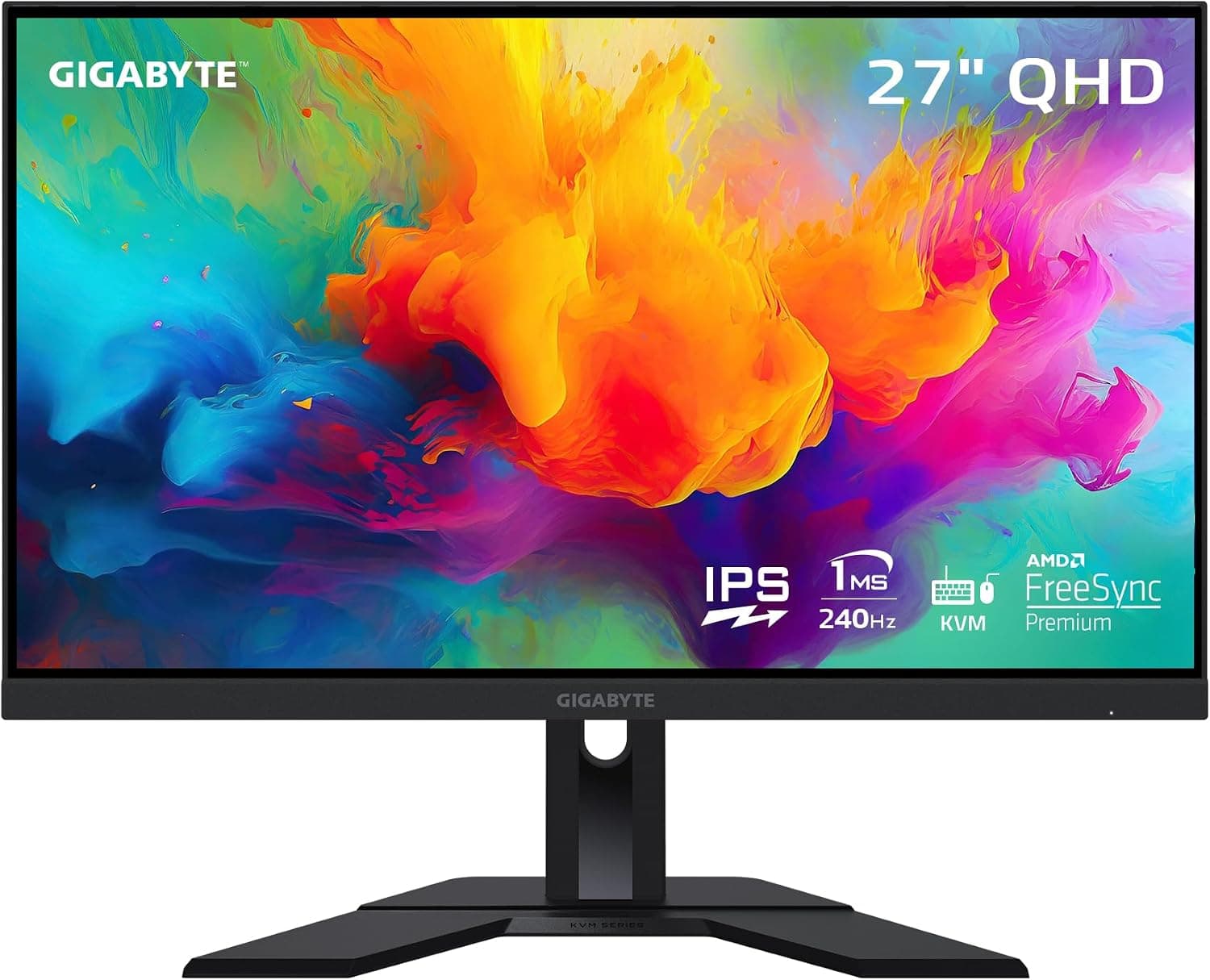
GIGABYTE M27Q X
A do-it-all 1440p 240Hz panel with a work-and-play twist. GIGABYTE's M27Q X runs a 27" Super-Speed IPS at 240Hz with a 1ms MPRT response and 92% DCI-P3 color, then adds a built-in KVM and USB-C so a gaming PC and a work laptop can share the same screen, keyboard, and mouse.
We may earn a commission when you buy through our links.
Our Verdict
A near-twin to the Acer on gaming specs (27" 1440p Super-Speed IPS at 240Hz with a 1ms MPRT response) that pulls ahead for anyone sharing the screen between a gaming PC and a work laptop, thanks to its built-in KVM and USB-C. It costs a little more than the Acer and has no strobing mode, which is why it lands just behind.
Score Breakdown
Pros & Cons
Pros
- •1440p 240Hz Super-Speed IPS
- •Built-in KVM and USB-C for a two-device desk
- •92% DCI-P3 wide color gamut
- •1ms MPRT response
- •FreeSync Premium and G-Sync Compatible
Cons
- •DisplayHDR 400 without local dimming is unremarkable
- •USB-C power delivery is too low to charge larger laptops
- •Stand offers height and tilt but no pivot
Specifications
| Screen Size | 27" |
| Resolution | 2560x1440 |
| Refresh Rate | 240Hz |
| Panel | Super-Speed IPS |
| Response Time | 1ms MPRT |
| Adaptive Sync | FreeSync Premium, G-Sync Compatible |
| Stand | Height / tilt |
Quick Answers
What is the screen size of the GIGABYTE M27Q X?
GIGABYTE M27Q X screen size: 27".
What is the resolution of the GIGABYTE M27Q X?
GIGABYTE M27Q X resolution: 2560x1440.
What is the refresh rate of the GIGABYTE M27Q X?
GIGABYTE M27Q X refresh rate: 240Hz.
What is the panel of the GIGABYTE M27Q X?
GIGABYTE M27Q X panel: Super-Speed IPS.
What is the response time of the GIGABYTE M27Q X?
GIGABYTE M27Q X response time: 1ms MPRT.
What is the adaptive sync of the GIGABYTE M27Q X?
GIGABYTE M27Q X adaptive sync: FreeSync Premium, G-Sync Compatible.
What is the stand of the GIGABYTE M27Q X?
GIGABYTE M27Q X stand: Height / tilt.
Who is the GIGABYTE M27Q X for?
It suits competitive players who also work from the same desk, 1440p gamers wanting KVM and USB-C, wide-gamut color users. It is not the right pick for buyers who want a strobing motion mode, laptop users needing high-wattage USB-C charging, portrait-orientation users.
Is the GIGABYTE M27Q X worth buying?
A do-it-all 1440p 240Hz panel with a work-and-play twist. GIGABYTE's M27Q X runs a 27" Super-Speed IPS at 240Hz with a 1ms MPRT response and 92% DCI-P3 color, then adds a built-in KVM and USB-C so a gaming PC and a work laptop can share the same screen, keyboard, and mouse. It ranks #3 in our Top 5 Gaming Monitors for Competitive FPS Under $300. A near-twin to the Acer on gaming specs (27" 1440p Super-Speed IPS at 240Hz with a 1ms MPRT response) that pulls ahead for anyone sharing the screen between a gaming PC and a work laptop, thanks to its built-in KVM and USB-C. It costs a little more than the Acer and has no strobing mode, which is why it lands just behind.
Who Is This For?
Best For
- Competitive players who also work from the same desk
- 1440p gamers wanting KVM and USB-C
- Wide-gamut color users
Not For
- Buyers who want a strobing motion mode
- Laptop users needing high-wattage USB-C charging
- Portrait-orientation users
Where to Buy
Appears In
Compare Head-to-Head
Customer Reviews
Alternatives to Consider
ASUS ROG Strix XG259QNS
ASUS
A purpose-built esports display. The XG259QNS pushes a Fast IPS panel to 380Hz (overclocked) with a rated 0.3ms minimum response and ELMB Sync, which lets ASUS run backlight strobing and variable refresh at the same time, the closest thing to CRT-like motion clarity you can buy under $300.
Acer Nitro XV272U W2bmiiprx
Acer
The value sweet spot for competitive play. Acer pairs a 27" 1440p IPS panel with a 240Hz refresh ceiling and a 0.5ms VRB motion mode, giving you the sharper QHD image most shooters benefit from without giving up the high frame rates competitive gaming lives on, and it routinely sells well under $200.
Samsung Odyssey G4 (G40B)
Samsung
A compact 25" competitive monitor built around a 240Hz IPS panel with a 1ms GtG response, dual G-Sync Compatible and FreeSync Premium support, and a fully adjustable stand that most sub-$250 gaming monitors leave out. The smaller 25" size keeps 1080p pixel density reasonable and puts the whole picture inside your field of view.
Dell 27 Gaming Monitor SE2726HG
Dell
The cheapest honest way onto a 240Hz IPS panel. Dell's SE2726HG delivers a 27" 1080p IPS display at 240Hz with FreeSync Premium and a 0.5ms Extreme response mode, backed by a 3-year warranty, the entry point for competitive frame rates when the budget is truly tight.