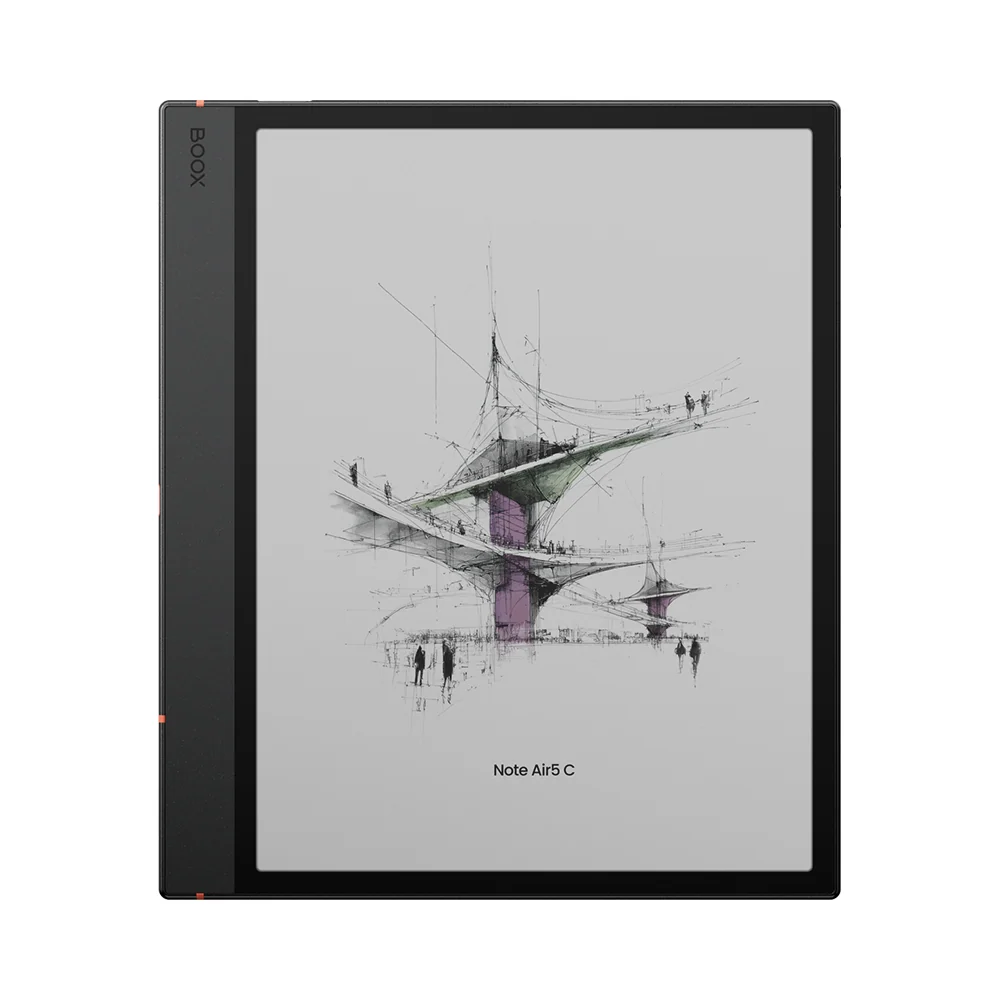
BOOX Note Air5 C
Onyx's 10.3-inch color E Ink tablet runs Android 15 with the Google Play Store, so the same apps students use on a laptop (OneNote, Google Drive, Notion, Libby, the Kindle app) run on a paper-like screen. It pairs a Kaleido 3 color panel (300 ppi black and white, 150 ppi color) with 6GB of RAM, 64GB of storage plus microSD, a warm and cold front light, an included BOOX Pen3 and an optional magnetic keyboard cover.
We may earn a commission when you buy through our links.
Our Verdict
The most flexible pick: Android 15 with Google Play means OneNote, Google Drive, Notion, Libby and the Kindle app all run on a 10.3-inch color E Ink screen, with 64GB plus microSD and an optional keyboard cover for typing. It ranks below the Kindle Scribe (2025) because reviewers report battery life measured in days rather than weeks, it is the heaviest tablet here at about 430-440 g, and its 10.3-inch screen is smaller. It ranks above the Kindle Scribe Colorsoft because it adds color and runs the apps a course actually uses for about $100 less, while the Colorsoft is limited to Kindle software.
Score Breakdown
Pros & Cons
Pros
- •Android 15 with Google Play runs OneNote, Google Drive, Notion and other coursework apps alongside BOOX's own notes app
- •Color highlights and diagrams on a Kaleido 3 panel, with warm and cold front light
- •64GB plus microSD expansion, the most storage flexibility in this list
- •Optional magnetic keyboard cover for typing up notes or essays
Cons
- •Reviewers report battery life of days rather than weeks, shorter than the Kindle Scribes
- •Muted colors and 150 ppi color resolution; about 430-440 g makes it the heaviest here
- •Android apps can be slow or ghost on E Ink, so app performance varies
Specifications
| Screen | 10.3" Kaleido 3 E Ink, 300 ppi B&W / 150 ppi color |
| Color | Yes (Kaleido 3) |
| Front Light | Yes, warm and cold |
| Storage | 64GB + microSD, 6GB RAM |
| Weight | About 430-440 g, 5.8 mm thin |
| Battery Life | 3,700 mAh; reviewers report a few days to about a week |
| Stylus | BOOX Pen3 included |
| Software & Apps | Android 15 with Google Play Store |
Quick Answers
What is the screen of the BOOX Note Air5 C?
BOOX Note Air5 C screen: 10.3" Kaleido 3 E Ink, 300 ppi B&W / 150 ppi color.
What is the color of the BOOX Note Air5 C?
BOOX Note Air5 C color: Yes (Kaleido 3).
What is the front light of the BOOX Note Air5 C?
BOOX Note Air5 C front light: Yes, warm and cold.
What is the storage of the BOOX Note Air5 C?
BOOX Note Air5 C storage: 64GB + microSD, 6GB RAM.
What is the weight of the BOOX Note Air5 C?
BOOX Note Air5 C weight: About 430-440 g, 5.8 mm thin.
What is the battery life of the BOOX Note Air5 C?
BOOX Note Air5 C battery life: 3,700 mAh; reviewers report a few days to about a week.
What is the stylus of the BOOX Note Air5 C?
BOOX Note Air5 C stylus: BOOX Pen3 included.
What is the software & apps of the BOOX Note Air5 C?
BOOX Note Air5 C software & apps: Android 15 with Google Play Store.
Who is the BOOX Note Air5 C for?
It suits students who need OneNote, Google Drive or a course app on the tablet itself, color-coded notes, diagrams and highlighted readings, students who want to add a keyboard for typing. It is not the right pick for anyone who wants weeks between charges, students who want the simplest, distraction-free device.
Is the BOOX Note Air5 C worth buying?
Onyx's 10.3-inch color E Ink tablet runs Android 15 with the Google Play Store, so the same apps students use on a laptop (OneNote, Google Drive, Notion, Libby, the Kindle app) run on a paper-like screen. It pairs a Kaleido 3 color panel (300 ppi black and white, 150 ppi color) with 6GB of RAM, 64GB of storage plus microSD, a warm and cold front light, an included BOOX Pen3 and an optional magnetic keyboard cover. It ranks #2 in our Top 5 E-Ink Tablets for College Students. The most flexible pick: Android 15 with Google Play means OneNote, Google Drive, Notion, Libby and the Kindle app all run on a 10.3-inch color E Ink screen, with 64GB plus microSD and an optional keyboard cover for typing. It ranks below the Kindle Scribe (2025) because reviewers report battery life measured in days rather than weeks, it is the heaviest tablet here at about 430-440 g, and its 10.3-inch screen is smaller. It ranks above the Kindle Scribe Colorsoft because it adds color and runs the apps a course actually uses for about $100 less, while the Colorsoft is limited to Kindle software.
Who Is This For?
Best For
- Students who need OneNote, Google Drive or a course app on the tablet itself
- Color-coded notes, diagrams and highlighted readings
- Students who want to add a keyboard for typing
Not For
- Anyone who wants weeks between charges
- Students who want the simplest, distraction-free device
Where to Buy
Appears In
Compare Head-to-Head
Customer Reviews
Alternatives to Consider
Amazon Kindle Scribe (2025, 32GB, with Front Light)
Amazon
Amazon's redesigned Kindle Scribe moves to an 11-inch, 300 ppi glare-free display with an auto-adjusting front light, slims down to 5.4 mm and about 400 g, and ships with a Premium Pen that never needs charging. For students it combines the Kindle Store and Send to Kindle for textbooks and PDFs with notebooks that import from Google Drive and OneDrive and can be searched and summarized.
Amazon Kindle Scribe Colorsoft (32GB)
Amazon
The first Kindle Scribe with a color display: the same 11-inch, 5.4 mm, roughly 400 g design as the standard Scribe, with a Colorsoft panel (300 ppi black and white, 150 ppi color), a faster quad-core chip and a Premium Pen that writes in 10 colors and 5 highlighter shades. It keeps the Kindle software, including Google Drive and OneDrive import and AI notebook search.
BOOX Go 10.3 (Gen II)
BOOX
The lightest tablet here and the cheapest way to get a full Android note-taking tablet: a 10.3-inch, 300 ppi monochrome E Ink screen, Android 15 with Google Play, 64GB of storage and a 3,700 mAh battery in a body of roughly 350-360 g. The second generation switches to BOOX's active InkSense Plus stylus, which charges over USB-C. This is the version without a front light; the Lumi version adds one for about $30 more.
Amazon Kindle Scribe without Front Light (16GB)
Amazon
The cheapest way into the 2025 Kindle Scribe: the same 11-inch, 300 ppi screen, roughly 400 g body, Premium Pen and Kindle notebook software as the standard Scribe, without the front light and with 16GB of storage. Dropping the light raises the rated reading life to 16 weeks; writing is still rated at up to 3 weeks.