Alienware AW3425DW vs Samsung Odyssey G5 34" (C34G55T)
Alienware AW3425DW (#3) vs Samsung Odyssey G5 34" (C34G55T) (#5, best budget): in our Ultrawide Gaming Monitors scoring the Alienware AW3425DW totals 9.4/10 and the Samsung Odyssey G5 34" (C34G55T) 7.7/10.
We may earn a commission when you buy through our links.
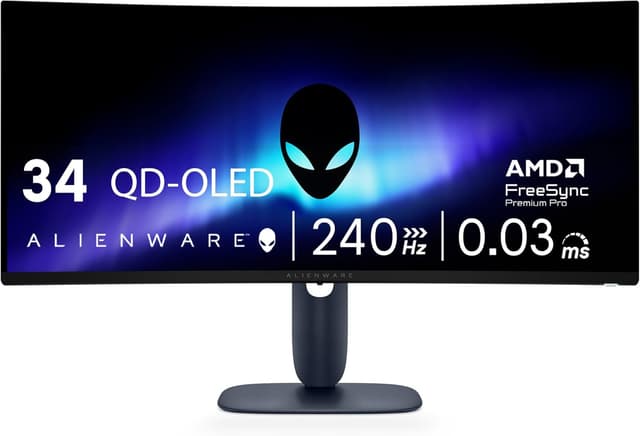
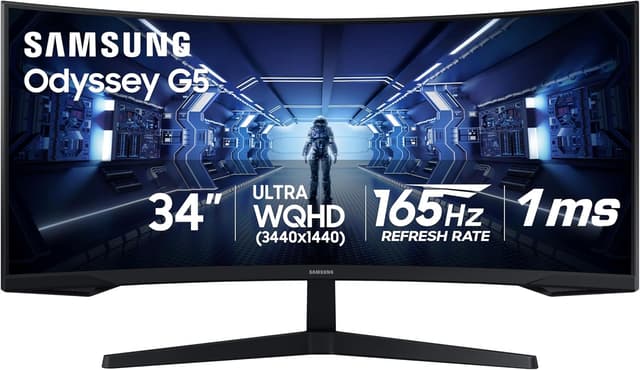
TopsFive comparison scores
Side by side
| Alienware AW3425DW | Samsung Odyssey G5 34" (C34G55T) | |
|---|---|---|
| Screen Size | 34.2" 21:9, 1800R curve | 34" 21:9, 1000R curve |
| Resolution | 3440x1440 | 3440x1440 |
| Refresh Rate | 240Hz | 165Hz |
| Panel | QD-OLED | VA |
| Response Time | 0.03ms GtG | 1ms MPRT |
| HDR | DisplayHDR True Black 400 | HDR10 |
| Adaptive Sync | FreeSync Premium Pro, G-Sync Compatible | FreeSync Premium (DisplayPort) |
| Inputs | 1x DisplayPort 1.4 (DSC), 2x HDMI 2.1 | 1x DisplayPort 1.4, 1x HDMI 2.0 (100Hz max) |
| Stand | Height / tilt / swivel | Tilt only |
| Contrast | — | 2,500:1 static |
| Price | Check price → | Check price → |
How they differ in real use
Built from our ultrawide gaming monitors scoring, each product's published specifications, and verified owner feedback — not hands-on testing.
Both the Alienware AW3425DW and the Samsung Odyssey G5 34" (C34G55T) made our Top 5 Ultrawide Gaming Monitors, at #3 and #5 (best budget). A generation newer than the AW3423DWF below it: the same 34" 3440x1440 QD-OLED format with an 1800R curve, but at 240Hz instead of 165Hz with a 0.03ms response, plus two HDMI 2.1 inputs and both FreeSync Premium Pro and G-Sync Compatible certification. PCGamesN scores it 9/10 and singles out text far sharper than early QD-OLED panels, and RTINGS reports near-instantaneous response times at any refresh rate. It sits below the 45" LG on sheer size and immersion and costs more than the AW3423DWF, and it has no USB-C video input or KVM switch; in a bright room its blacks take on a purple tint. The entry point to 34" ultrawide gaming: a 3440x1440 VA panel at 165Hz on a deep 1000R curve, with roughly 2,500:1 native contrast, for a fraction of the price of every OLED above it. RTINGS credits it with low input lag and excellent native contrast for dark-room play. Against the OLED picks it gives up speed (VA smearing in dark scenes), HDR and color range, and its tilt-only stand and 100Hz cap over HDMI are the clearest corners cut to reach its price.
We score ultrawide gaming monitors on Immersion (30%), Image Quality (25%), Speed (25%), Features (10%) and Value (10%). On that basis the Alienware AW3425DW totals 9.4 out of 10 and the Samsung Odyssey G5 34" (C34G55T) 7.7. The widest gap is Image Quality, where the Alienware AW3425DW scores 10 against 7 for the Samsung Odyssey G5 34" (C34G55T): resolution and colors. Speed also separates them: 9.8 for the Alienware AW3425DW versus 7 for the Samsung Odyssey G5 34" (C34G55T). The Samsung Odyssey G5 34" (C34G55T) claws back ground on Value.
On paper, the specifications that actually differ: Screen Size: 34.2" 21:9, 1800R curve on the Alienware AW3425DW versus 34" 21:9, 1000R curve on the Samsung Odyssey G5 34" (C34G55T); Refresh Rate: 240Hz on the Alienware AW3425DW versus 165Hz on the Samsung Odyssey G5 34" (C34G55T); Panel: QD-OLED on the Alienware AW3425DW versus VA on the Samsung Odyssey G5 34" (C34G55T); Response Time: 0.03ms GtG on the Alienware AW3425DW versus 1ms MPRT on the Samsung Odyssey G5 34" (C34G55T); HDR: DisplayHDR True Black 400 on the Alienware AW3425DW versus HDR10 on the Samsung Odyssey G5 34" (C34G55T); Adaptive Sync: FreeSync Premium Pro, G-Sync Compatible on the Alienware AW3425DW versus FreeSync Premium (DisplayPort) on the Samsung Odyssey G5 34" (C34G55T). They match on Resolution.
Check current pricing at the merchant links below. Owners praise the Alienware AW3425DW for 34" QD-OLED at 3440x1440 and 240Hz and 0.03ms GtG response with near-instantaneous transitions at any refresh rate (RTINGS); the most common complaint is blacks look purplish and glare is hard to control in a bright room. Owners praise the Samsung Odyssey G5 34" (C34G55T) for 3440x1440 at 165Hz for a fraction of OLED ultrawide prices and aggressive 1000R curve for immersion; the most common complaint is tilt-only stand with no height adjustment.
Alienware AW3425DW
- 34" QD-OLED at 3440x1440 and 240Hz
- 0.03ms GtG response with near-instantaneous transitions at any refresh rate (RTINGS)
- DisplayHDR True Black 400 with a rated 1,000-nit peak in small highlights
- FreeSync Premium Pro and G-Sync Compatible certified
- Blacks look purplish and glare is hard to control in a bright room
- Full-screen SDR brightness of about 250 nits trails LCD monitors
- No USB-C video input, KVM switch or built-in speakers
Samsung Odyssey G5 34" (C34G55T)
- 3440x1440 at 165Hz for a fraction of OLED ultrawide prices
- Aggressive 1000R curve for immersion
- High native VA contrast (about 2,500:1) for deep blacks
- FreeSync Premium with low input lag (about 4ms per Display Ninja)
- Tilt-only stand with no height adjustment
- Smearing behind fast objects in dark scenes, typical of VA
- HDMI 2.0 tops out at 100Hz at full resolution and FreeSync works over DisplayPort only
Which should you buy?
The Alienware AW3425DW is the better fit for single-player and sim gamers who want fast OLED motion and upgraders from a 165-175Hz QD-OLED ultrawide; it is the higher-scoring pick here, chiefly for Image Quality and Speed. The Samsung Odyssey G5 34" (C34G55T) is the better fit for first-time ultrawide buyers on a budget and dark-room gaming that benefits from VA contrast, and the stronger choice if Value matters more to you than the overall score. The Alienware AW3425DW is a poor fit for bright, sunlit rooms; the Samsung Odyssey G5 34" (C34G55T) is a poor fit for fast competitive shooters sensitive to smearing.
Choose the Alienware AW3425DW if
- Single-player and sim gamers who want fast OLED motion
- Upgraders from a 165-175Hz QD-OLED ultrawide
- Setups that need two HDMI 2.1 inputs for a PC and a console
Skip it if
- Bright, sunlit rooms
- Buyers who need USB-C laptop charging or a KVM switch
Choose the Samsung Odyssey G5 34" (C34G55T) if
- First-time ultrawide buyers on a budget
- Dark-room gaming that benefits from VA contrast
- Productivity users who want dual-monitor width on one screen
Skip it if
- Fast competitive shooters sensitive to smearing
- Users who need height adjustment
Common questions
Is the Alienware AW3425DW better than the Samsung Odyssey G5 34" (C34G55T)?
In our Ultrawide Gaming Monitors ranking the Alienware AW3425DW scores higher overall, 9.4 to 7.7, with the biggest advantage in Image Quality. The Samsung Odyssey G5 34" (C34G55T) is stronger on Value, so it is the better pick if that matters most to you.
What is the main difference between the Alienware AW3425DW and the Samsung Odyssey G5 34" (C34G55T)?
The headline spec difference is Screen Size: 34.2" 21:9, 1800R curve on the Alienware AW3425DW versus 34" 21:9, 1000R curve on the Samsung Odyssey G5 34" (C34G55T). In use, the gap that matters most is Image Quality (10 vs 7 in our scoring): resolution and colors.