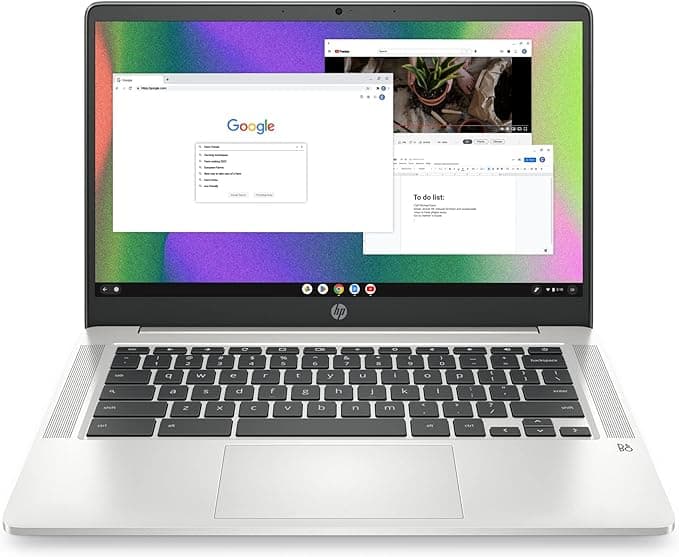
HP Chromebook 14
An affordable Chromebook that's easy to use and stays secure with automatic updates, good for web browsing and basic tasks.
We may earn a commission when you buy through our links.
Our Verdict
The HP Chromebook 14 stays on top for light use because it is simple, affordable, secure, and good enough for email, browsing, streaming, and basic documents.
Score Breakdown
Pros & Cons
Pros
- •Very affordable
- •Fast boot times
- •Automatic updates
- •Secure
- •Long battery
Cons
- •Limited to web apps
- •Small storage
- •Chrome OS learning curve
Specifications
| OS | Chrome OS |
| Processor | Intel Celeron N4020 |
| RAM | 4GB |
| Storage | 64GB eMMC |
| Display | 14" HD 1366x768 |
| Weight | 3.3 lbs |
| Battery | Up to 13 hours |
Quick Answers
What is the OS of the HP Chromebook 14?
HP Chromebook 14 OS: Chrome OS.
What is the processor of the HP Chromebook 14?
HP Chromebook 14 processor: Intel Celeron N4020.
What is the RAM of the HP Chromebook 14?
HP Chromebook 14 RAM: 4GB.
What is the storage of the HP Chromebook 14?
HP Chromebook 14 storage: 64GB eMMC.
What is the display of the HP Chromebook 14?
HP Chromebook 14 display: 14" HD 1366x768.
What is the weight of the HP Chromebook 14?
HP Chromebook 14 weight: 3.3 lbs.
What is the battery of the HP Chromebook 14?
HP Chromebook 14 battery: Up to 13 hours.
Who is the HP Chromebook 14 for?
It suits web browsing, email, seniors, kids. It is not the right pick for windows apps needed, heavy tasks, offline work.
Is the HP Chromebook 14 worth buying?
An affordable Chromebook that's easy to use and stays secure with automatic updates, good for web browsing and basic tasks. It ranks #1 in our Top 5 Light Use Laptops. The HP Chromebook 14 stays on top for light use because it is simple, affordable, secure, and good enough for email, browsing, streaming, and basic documents.
Who Is This For?
Best For
- Web browsing
- Seniors
- Kids
Not For
- Windows apps needed
- Heavy tasks
- Offline work
Where to Buy
Appears In
Compare Head-to-Head
Customer Reviews
Alternatives to Consider
Lenovo Chromebook Duet 3
Lenovo
2-in-1 Chromebook with detachable keyboard. Great for media and light work.
Lenovo Chromebook Duet Gen 9
Lenovo
Lenovo's Chromebook Duet 11M889 (Gen 9) is the successor to the Duet 3: an 11-inch ChromeOS tablet with a detachable keyboard and kickstand cover. It moves to the MediaTek Kompanio 838 processor and a 10.95-inch 1920x1200 touchscreen, and Notebookcheck's review reported roughly 10 to 12 hours of battery life from its 29Wh battery. This Amazon listing includes the keyboard and stand cover, plus reseller-added extras including a 64GB microSD card.
Acer Chromebook Spin 311
Acer
Convertible Chromebook at an unbeatable price. Great for students and casual users.
Samsung Galaxy Chromebook Go
Samsung
Lightweight and durable Chromebook with LTE option. Great for staying connected.