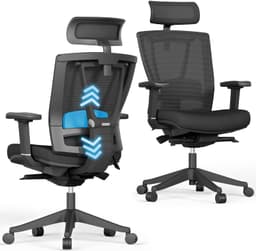
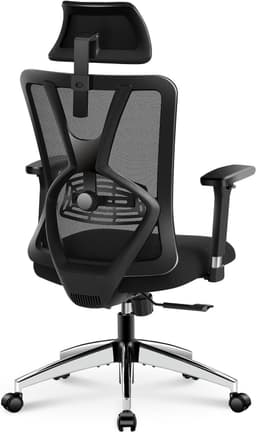
The best office chairs for lower back pain: ranked on lumbar support, adjustability and fit, build quality, all-day comfort, and value, from proven ergonomic flagships to budget picks that still get the low back right.
Updated July 29, 20265 rankedNo paid placements
We may earn a commission when you buy through our links.
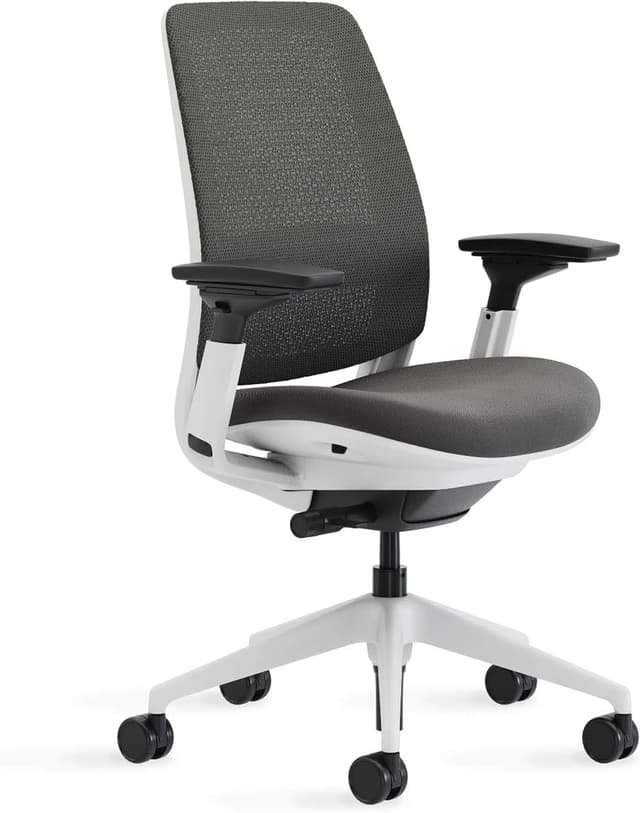
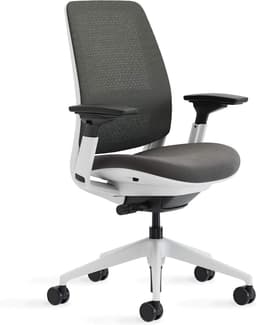
The best balance of low-back support, adjustability, and price for most people. The Series 2 pairs a height-adjustable integrated lumbar (so firm support lands exactly on your low back) with Steelcase's LiveBack backrest that flexes to follow your spine as you move. It brings contract-grade ergonomics, adjustable seat depth, 4-way arms, and a 12-year warranty for roughly a third of the flagship price, which is why it takes the top spot over chairs that cost far more.
Height-adjustable integrated lumbar lands support precisely on the low backLiveBack backrest flexes with your spine as you move and reclineAdjustable seat depth keeps clearance behind the kneesBase configuration has no headrestFirm, business-like feel rather than plush cushioning
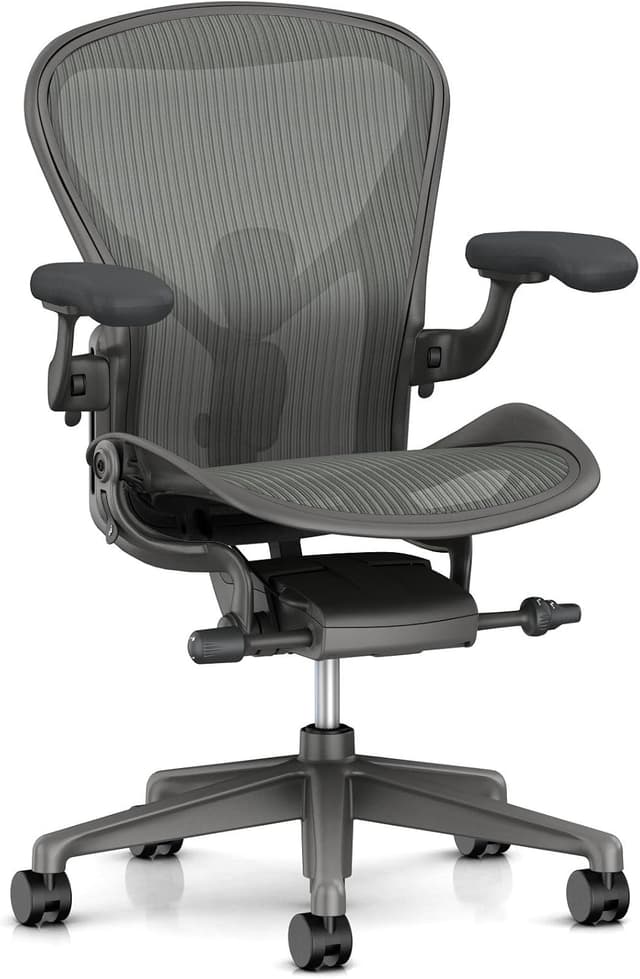
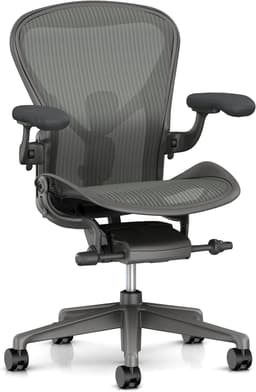
The gold standard for spinal support, and the pick if budget is no object. Its PostureFit SL stabilizes the sacrum to keep the pelvis tilted into a healthy curve (an approach many chronic back-pain sufferers prefer to a pushed-in lumbar pad), and the 8Z Pellicle mesh spreads pressure and breathes. It ranks second, not first, purely on value: the support is superb but costs far more than the Series 2's adjustable lumbar delivers for most bodies.
PostureFit SL stabilizes the sacrum for healthy pelvic tilt8Z Pellicle suspension mesh spreads pressure and breathesSold in three sizes (A/B/C) for a tailored fitThe most expensive chair here by a wide marginNo headrest and no adjustable seat depth (fit is size-based)
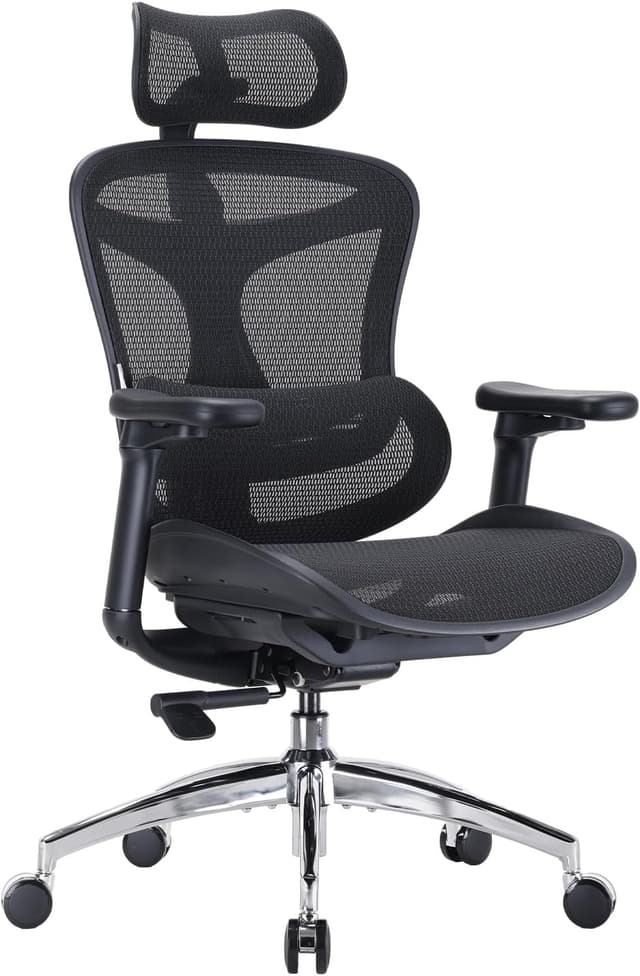
The most low-back support you can get for around $300, and the easiest to live with. Its dynamic lumbar tracks your movement and firms automatically as you shift and recline, so support stays in the right place with no knobs to fuss over. A breathable mesh back, 3D arms, and a 3-year warranty make it a genuine ergonomic chair at a mainstream price. It ranks below the flagships only because the materials and adjustment range don't reach their level.
Self-adjusting dynamic lumbar tracks your low back as you moveStrong value: real ergonomics at roughly a third of flagship pricingBreathable mesh back stays cool over long sessionsDynamic support can feel aggressive for those who dislike pronounced lumbarBest fit is roughly 5'4" to 6'2"; outside that it suits less well
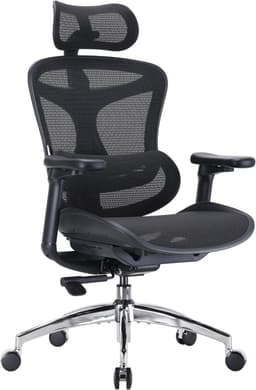
The most adjustable chair in the mid-range. Its six-inch sliding lumbar lets you place firm support precisely up or down the backrest, and nine points of adjustment (including 4D arms and a headrest) let you tune every contact point. It lands fourth because reviewers consistently rate the adjustability highly but call the seat's out-of-the-box comfort merely good, so it trails the picks above on all-day feel despite its control.
Six-inch sliding lumbar places support exactly where you need itNine points of adjustment, including 4D arms and headrestBreathable mesh back for long, warm sessionsReviewers rate seat comfort as good rather than exceptionalNo adjustable seat depth
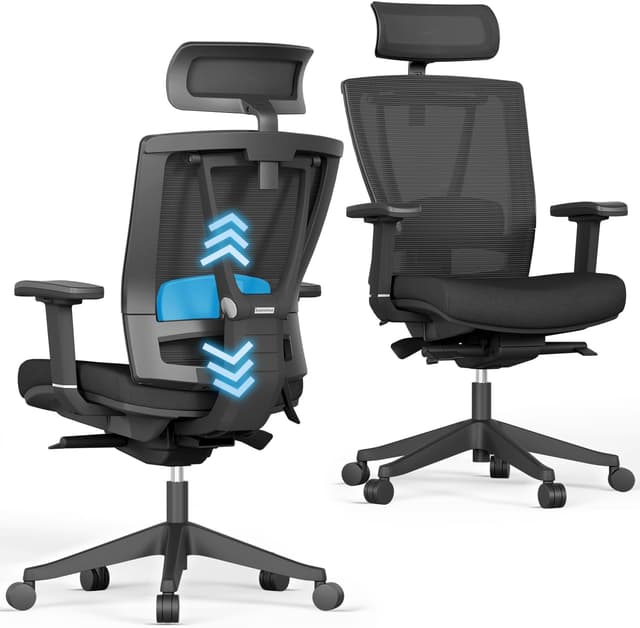
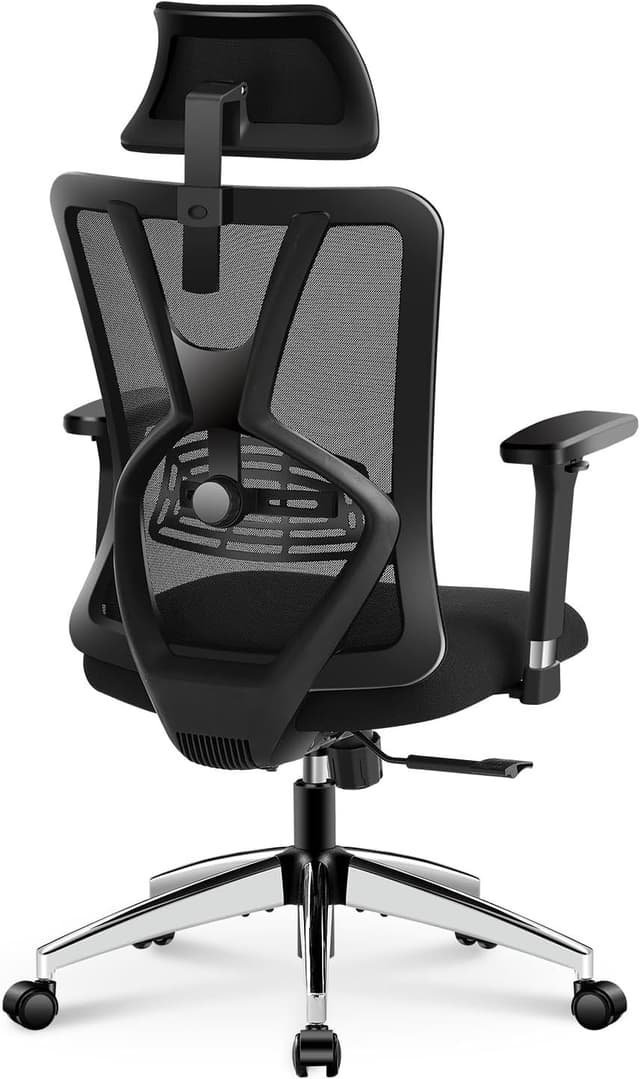
The best budget chair that still gets the low back right. Unlike most sub-$200 chairs with a fixed lumbar bump, the Ticova's lumbar pad adjusts in height and depth (the same principle as chairs three times the price), and it adds an adjustable headrest and 3D metal armrests. It ranks last because the budget materials, shorter 1-year warranty, and seat that can compress over time are real compromises, but no chair here offers more back support per dollar.
Height- and depth-adjustable lumbar pad, rare at this priceAdjustable headrest plus sturdy 3D metal armrests130° recline with rocking to offload the spineBudget materials and shorter 1-year warrantyMaximum lumbar height can sit low for very tall users
The single most important feature in an office chair for lower back pain has nothing to do with price tag or brand. It comes down to how well the chair supports your lumbar spine, and whether that support can be dialed in to your body. A healthy seated posture keeps the natural inward curve of your lower back, and a chair earns its place on this list by holding that curve without you having to think about it. That is why every pick here leads with its lumbar system, and why the ranking rewards support you can actually adjust over support that is merely present. There are three approaches worth understanding before you buy. The first is height- and depth-adjustable lumbar, where a pad or the whole backrest moves up, down, in, and out so the firmest point of support lands exactly on your low back: the Steelcase Series 2, Autonomous ErgoChair Pro, and Ticova all work this way, and it is the most reliable path to relief because you set it once for your spine. The second is dynamic lumbar, where the support tracks you automatically as you shift and recline; the Sihoo Doro C300 uses this, which suits people who move a lot and do not want to fuss with knobs. The third is Herman Miller's PostureFit SL, a sacral-and-lumbar design on the Aeron that stabilizes the base of the spine rather than pushing on the small of the back (a different, clinically-minded philosophy that some back-pain sufferers strongly prefer). Beyond lumbar, four things decide whether a chair helps or hurts over a full day. Fit and sizing matter more than shoppers expect: a chair that runs too large leaves shorter users perched forward off the lumbar zone, and the Aeron is sold in sizes A/B/C precisely because one shell cannot fit everyone. Seat depth adjustment lets you keep two to three fingers of clearance behind your knees so the seat edge never cuts off circulation. Adjustable arms take load off your shoulders and neck, which indirectly eases the lower back by stopping you from hunching. And recline with adjustable tension is genuinely therapeutic; leaning back periodically offloads spinal discs, so a chair that reclines smoothly and locks where you want is doing real work. A few common mistakes to avoid: buying purely on price and ending up with fixed, non-adjustable lumbar that sits in the wrong place; assuming a plush gaming-style bucket seat equals back support (it usually does not); and ignoring your own height and weight against the chair's stated range. If your pain is chronic or severe, treat any chair as one part of the solution and consult a clinician. TopsFive does not test these chairs in-house; our rankings are built from published manufacturer specifications, independent expert reviews, and verified owner feedback.
Rankings are built from published manufacturer specifications, independent expert reviews and guides (including Tom's Guide, Creative Bloq, AppleInsider, Tech Advisor, TechRadar, and Tom's Hardware), and verified owner feedback, cross-checked against current Amazon listing data for pricing, ASIN, and availability. TopsFive does not test these chairs in-house. Because the goal is relief for the lower back, we weight lower-back support most heavily, followed by adjustability and fit (a chair only helps if it can be set to your body), then build quality, all-day comfort, and value.
Lower-Back Support
Quality of the lumbar/sacral system and how precisely it can be positioned for the low back
30%
Adjustability & Fit
Seat-depth, arm, height, recline, and body-size range so the chair fits your frame
25%
Build Quality & Durability
Frame, mechanism, materials, and warranty backing long-term use
15%
Comfort Over Long Hours
Cushioning, breathability, and pressure relief across a full workday
15%
Value
Price versus back-support capability and longevity
What matters most in an office chair for lower back pain?
Lumbar support that can be positioned for your body. A chair should hold the natural inward curve of your low back, and the most reliable way to guarantee that is adjustable lumbar: a pad or backrest that moves up, down, in, and out so the firmest support lands on your low back. The Steelcase Series 2, Autonomous ErgoChair Pro, and Ticova all adjust this way; the Sihoo Doro C300 tracks you automatically; and the Herman Miller Aeron stabilizes the sacrum instead. A fixed lumbar bump that sits in the wrong place is the single most common reason a chair fails to help.
Is an expensive chair like the Aeron actually worth it for back pain?
Only for some buyers. The Herman Miller Aeron offers superb, durable support and a distinctive sacral-stabilizing design that many chronic sufferers prefer, and its 12-year warranty is reassuring. But for most people the Steelcase Series 2's height-adjustable lumbar delivers comparable low-back relief for roughly a third of the price, and the Sihoo Doro C300 gets much of the way there for around $300. Spend up for the Aeron if you want the best and can size it to your frame; otherwise the value picks are the smarter buy.
Does a chair need a headrest to help with lower back pain?
No. A headrest supports the neck, not the lumbar spine, so it has little direct effect on lower back pain. The best-overall Steelcase Series 2 and the premium Aeron have no headrest yet rank highest here because their lumbar and recline systems are what relieve the low back. A headrest is a comfort bonus for reclining and for neck tension (the Autonomous ErgoChair Pro and Ticova include one), but don't let its absence rule out an otherwise excellent chair.
How should I set up a chair to protect my lower back?
Start with seat height so your feet are flat and your hips sit slightly above your knees. Set seat depth (where the chair allows it) to leave two to three fingers of clearance behind your knees. Then raise or lower the lumbar support until its firmest point meets the inward curve of your low back, and adjust the arms so your shoulders relax and your forearms rest level. Finally, use the recline: leaning back periodically offloads your spinal discs, so a chair with smooth, lockable recline is doing real therapeutic work.
Are these chairs a substitute for treating back pain?
No. A supportive, well-adjusted chair reduces the load and poor posture that aggravate lower back pain, and for many people that meaningfully helps, but it is one part of the picture alongside movement, breaks, and, where needed, professional care. If your pain is chronic, severe, or accompanied by other symptoms, treat any chair as a supporting tool and consult a clinician rather than relying on furniture alone.