LG UltraGear 32GX870A-B vs GIGABYTE M32U
LG UltraGear 32GX870A-B (#4) vs GIGABYTE M32U (#5, best budget): in our 4K Gaming Monitors scoring the LG UltraGear 32GX870A-B totals 9.3/10 and the GIGABYTE M32U 8.1/10, the LG UltraGear 32GX870A-B leading on Image Quality and Speed and the GIGABYTE M32U on Value.
We may earn a commission when you buy through our links.
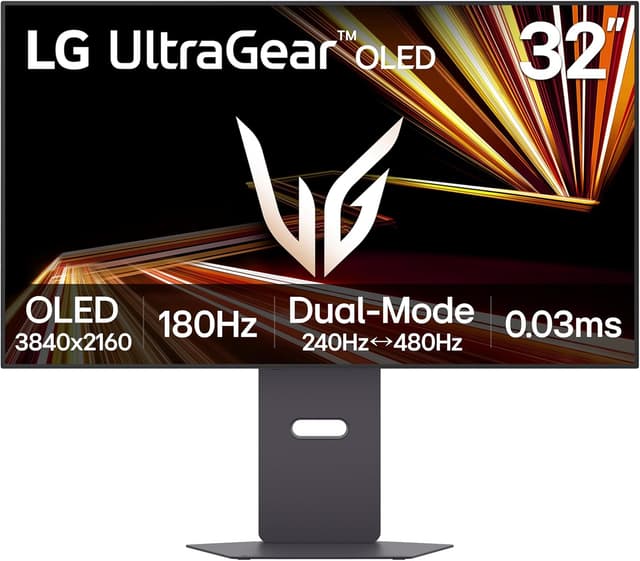
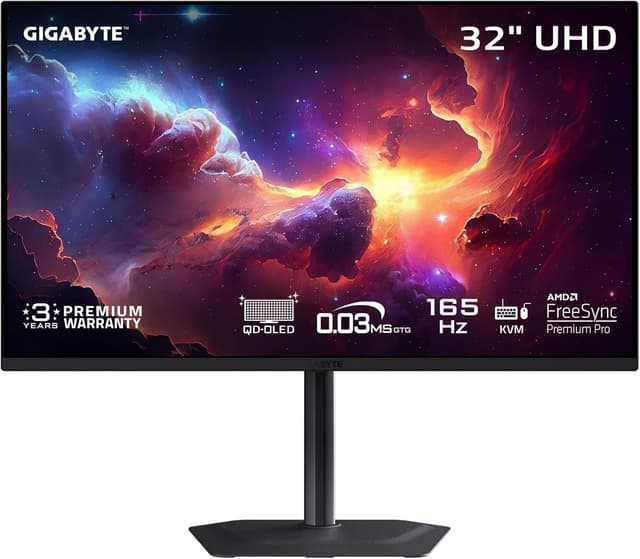
TopsFive comparison scores
Side by side
| LG UltraGear 32GX870A-B | GIGABYTE M32U | |
|---|---|---|
| Resolution | 3840x2160 / 1920x1080 | 3840x2160 |
| Refresh Rate | 240Hz / 480Hz | 144Hz |
| Panel | WOLED | SS IPS |
| Response Time | 0.03ms GtG | 1ms MPRT |
| HDR | DisplayHDR True Black 400 | HDR400 |
| Price | Check price → | Check price → |
How they differ in real use
Built from our 4k gaming monitors scoring, each product's published specifications, and verified owner feedback — not hands-on testing.
Both the LG UltraGear 32GX870A-B and the GIGABYTE M32U made our Top 5 4K Gaming Monitors, at #4 and #5 (best budget). Dual-mode versatility: 4K/240Hz for immersive games or FHD/480Hz for competitive esports. MLA+ delivers 1300 nit brightness with webOS smart features and USB-C 90W charging. 4K gaming value champion with 144Hz and HDMI 2.1 at a price that makes high-resolution gaming accessible. Built-in KVM switch adds versatility.
We score 4k gaming monitors on Image Quality (35%), Speed (25%), Features (20%), Panel Quality (10%) and Value (10%). On that basis the LG UltraGear 32GX870A-B totals 9.3 out of 10 and the GIGABYTE M32U 8.1. The widest gap is Image Quality, where the LG UltraGear 32GX870A-B scores 9.5 against 8 for the GIGABYTE M32U: resolution and HDR. Speed also separates them: 9.5 for the LG UltraGear 32GX870A-B versus 8 for the GIGABYTE M32U. The GIGABYTE M32U claws back ground on Value.
On paper, the specifications that actually differ: Resolution: 3840x2160 / 1920x1080 on the LG UltraGear 32GX870A-B versus 3840x2160 on the GIGABYTE M32U; Refresh Rate: 240Hz / 480Hz on the LG UltraGear 32GX870A-B versus 144Hz on the GIGABYTE M32U; Panel: WOLED on the LG UltraGear 32GX870A-B versus SS IPS on the GIGABYTE M32U; Response Time: 0.03ms GtG on the LG UltraGear 32GX870A-B versus 1ms MPRT on the GIGABYTE M32U; HDR: DisplayHDR True Black 400 on the LG UltraGear 32GX870A-B versus HDR400 on the GIGABYTE M32U.
Check current pricing at the merchant links below. Owners praise the LG UltraGear 32GX870A-B for dual-mode: 4K/240Hz or FHD/480Hz and 1300 nit peak (MLA+); the most common complaint is expensive. Owners praise the GIGABYTE M32U for 4K 144Hz at great price and HDMI 2.1 for consoles; the most common complaint is no local dimming.
LG UltraGear 32GX870A-B
- Dual-mode: 4K/240Hz or FHD/480Hz
- 1300 nit peak (MLA+)
- DisplayPort 2.1 + USB-C 90W
- webOS built-in
- Expensive
- OLED burn-in risk
- FHD mode reduces sharpness
GIGABYTE M32U
- 4K 144Hz at great price
- HDMI 2.1 for consoles
- KVM switch built-in
- Good color accuracy
- No local dimming
- HDR underwhelming
- Average contrast
Which should you buy?
The LG UltraGear 32GX870A-B is the better fit for gamers who split time between RPGs and esports and those wanting 4K and high refresh; it is the higher-scoring pick here, chiefly for Image Quality and Speed. The GIGABYTE M32U is the better fit for budget 4K gaming and console gamers, and the stronger choice if Value matters more to you than the overall score. The LG UltraGear 32GX870A-B is a poor fit for pure 4K purists; the GIGABYTE M32U is a poor fit for HDR enthusiasts.
Choose the LG UltraGear 32GX870A-B if
- Gamers who split time between RPGs and esports
- Those wanting 4K and high refresh
- USB-C laptop users
Skip it if
- Pure 4K purists
- Budget shoppers
Choose the GIGABYTE M32U if
- Budget 4K gaming
- Console gamers
- Multi-device users (KVM)
Skip it if
- HDR enthusiasts
- Premium build seekers
Common questions
Is the LG UltraGear 32GX870A-B better than the GIGABYTE M32U?
In our 4K Gaming Monitors ranking the LG UltraGear 32GX870A-B scores higher overall, 9.3 to 8.1, with the biggest advantage in Image Quality. The GIGABYTE M32U is stronger on Value, so it is the better pick if that matters most to you.
What is the main difference between the LG UltraGear 32GX870A-B and the GIGABYTE M32U?
The headline spec difference is Resolution: 3840x2160 / 1920x1080 on the LG UltraGear 32GX870A-B versus 3840x2160 on the GIGABYTE M32U. In use, the gap that matters most is Image Quality (9.5 vs 8 in our scoring): resolution and HDR.