Elgato Facecam 4K vs Logitech StreamCam
Elgato Facecam 4K (#3) vs Logitech StreamCam (#4): in our Streaming Webcams scoring the Elgato Facecam 4K totals 7.9/10 and the Logitech StreamCam 7.3/10, the Elgato Facecam 4K leading on Video Quality and Value and the Logitech StreamCam on Autofocus.
We may earn a commission when you buy through our links.
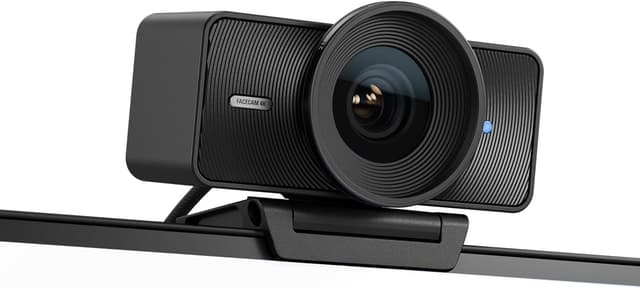
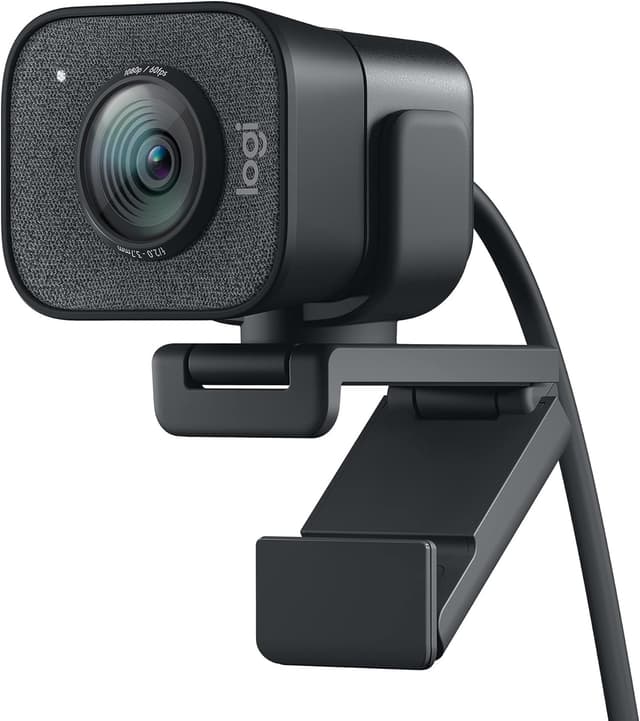
TopsFive comparison scores
Side by side
| Elgato Facecam 4K | Logitech StreamCam | |
|---|---|---|
| Resolution | 4K @ 60fps (HDR up to 4K30) | 1080p @ 60fps |
| Field of View | 90° | 78° |
| Sensor | 1/1.8" Sony STARVIS 2 | 2.1 MP CMOS |
| Aperture | f/4.0 | f/2.0 |
| Autofocus | Fixed focus (30–120 cm at 4K) | AI facial tracking |
| Connection | USB-C (USB 3.0) | USB-C 3.1 |
| Weight | 112g | 222g (with mount) |
| Price | Check price → | Check price → |
How they differ in real use
Built from our streaming webcams scoring, each product's published specifications, and verified owner feedback — not hands-on testing.
Both the Elgato Facecam 4K and the Logitech StreamCam made our Top 5 Streaming Webcams, at #3 and #4. The pick for 4K at 60fps, which neither the Razer Kiyo Pro Ultra nor the Insta360 Link 2C offers (both top out at 4K30). A 1/1.8-inch STARVIS 2 sensor, HDR up to 4K30, a 49mm filter thread and DSLR-style Camera Hub controls give lit setups the sharpest, smoothest image here for about $180. It ranks below the Kiyo and Link because its f/4.0 aperture is noisy in dim rooms and its fixed-focus lens cannot track or refocus for close-up shots, the two areas this list weights most after raw video quality. The reliable workhorse. If you just need smooth, consistent 1080p60 with built-in stereo mics and no fuss, the StreamCam delivers every time. Its portrait mode makes it uniquely useful for vertical content creation on TikTok, Reels, and Shorts.
We score streaming webcams on Video Quality (35%), Low Light (25%), Autofocus (20%), Features (10%) and Value (10%). On that basis the Elgato Facecam 4K totals 7.9 out of 10 and the Logitech StreamCam 7.3. The widest gap is Video Quality, where the Elgato Facecam 4K scores 9.5 against 7 for the Logitech StreamCam: resolution and clarity. Autofocus also separates them: 8 for the Logitech StreamCam versus 5 for the Elgato Facecam 4K.
On paper, the specifications that actually differ: Resolution: 4K @ 60fps (HDR up to 4K30) on the Elgato Facecam 4K versus 1080p @ 60fps on the Logitech StreamCam; Field of View: 90° on the Elgato Facecam 4K versus 78° on the Logitech StreamCam; Sensor: 1/1.8" Sony STARVIS 2 on the Elgato Facecam 4K versus 2.1 MP CMOS on the Logitech StreamCam; Aperture: f/4.0 on the Elgato Facecam 4K versus f/2.0 on the Logitech StreamCam; Autofocus: Fixed focus (30–120 cm at 4K) on the Elgato Facecam 4K versus AI facial tracking on the Logitech StreamCam; Connection: USB-C (USB 3.0) on the Elgato Facecam 4K versus USB-C 3.1 on the Logitech StreamCam.
Check current pricing at the merchant links below. Owners praise the Elgato Facecam 4K for 4K at 60fps, plus HDR up to 4K30 and 1/1.8-inch Sony STARVIS 2 sensor; the most common complaint is narrow f/4.0 aperture: grainy or soft in dim rooms without key lighting. Owners praise the Logitech StreamCam for smooth 1080p at 60fps ideal for streaming and AI facial tracking with smart auto-focus; the most common complaint is only 1080p, no 4K option.
Elgato Facecam 4K
- 4K at 60fps, plus HDR up to 4K30
- 1/1.8-inch Sony STARVIS 2 sensor
- 49mm filter thread for ND, polarizing or diffusion filters
- DSLR-style manual controls in Camera Hub, saved to onboard memory
- Narrow f/4.0 aperture: grainy or soft in dim rooms without key lighting
- Fixed focus (30–120 cm at 4K), so close-up product shots soften
- No built-in microphone
Logitech StreamCam
- Smooth 1080p at 60fps ideal for streaming
- AI facial tracking with smart auto-focus
- Supports portrait video for TikTok and Reels
- Built-in stereo microphones
- Only 1080p, no 4K option
- USB-C only, no USB-A adapter included
- Price is high for 1080p
Which should you buy?
The Elgato Facecam 4K is the better fit for streamers with a lit setup who want 4K60 and creators who want filter-thread and manual image control; it is the higher-scoring pick here, chiefly for Video Quality and Value. The Logitech StreamCam is the better fit for streamers who want reliable 1080p60 with no fuss and vertical content creators (TikTok, Reels, Shorts), and the stronger choice if Autofocus matters more to you than the overall score. The Elgato Facecam 4K is a poor fit for dim rooms without key lighting; the Logitech StreamCam is a poor fit for those who want 4K resolution.
Choose the Elgato Facecam 4K if
- Streamers with a lit setup who want 4K60
- Creators who want filter-thread and manual image control
- Elgato Stream Deck and Camera Hub users
Skip it if
- Dim rooms without key lighting
- Product demos that need close-range autofocus
Choose the Logitech StreamCam if
- Streamers who want reliable 1080p60 with no fuss
- Vertical content creators (TikTok, Reels, Shorts)
- Those who value built-in microphones
Skip it if
- Those who want 4K resolution
- Users without USB-C ports
Common questions
Is the Elgato Facecam 4K better than the Logitech StreamCam?
In our Streaming Webcams ranking the Elgato Facecam 4K scores higher overall, 7.9 to 7.3, with the biggest advantage in Video Quality. The Logitech StreamCam is stronger on Autofocus, so it is the better pick if that matters most to you.
What is the main difference between the Elgato Facecam 4K and the Logitech StreamCam?
The headline spec difference is Resolution: 4K @ 60fps (HDR up to 4K30) on the Elgato Facecam 4K versus 1080p @ 60fps on the Logitech StreamCam. In use, the gap that matters most is Video Quality (9.5 vs 7 in our scoring): resolution and clarity.