Acer Nitro XV272U W2bmiiprx vs GIGABYTE M27Q X
Acer Nitro XV272U W2bmiiprx (#2, best value) vs GIGABYTE M27Q X (#3): in our Gaming Monitors for Competitive FPS Under $300 scoring the Acer Nitro XV272U W2bmiiprx totals 8.9/10 and the GIGABYTE M27Q X 8.7/10, the Acer Nitro XV272U W2bmiiprx leading on Motion Clarity and Value.
We may earn a commission when you buy through our links. Prices and availability shown are accurate as of Aug 19, 2026 and are subject to change; the merchant's price at purchase applies.
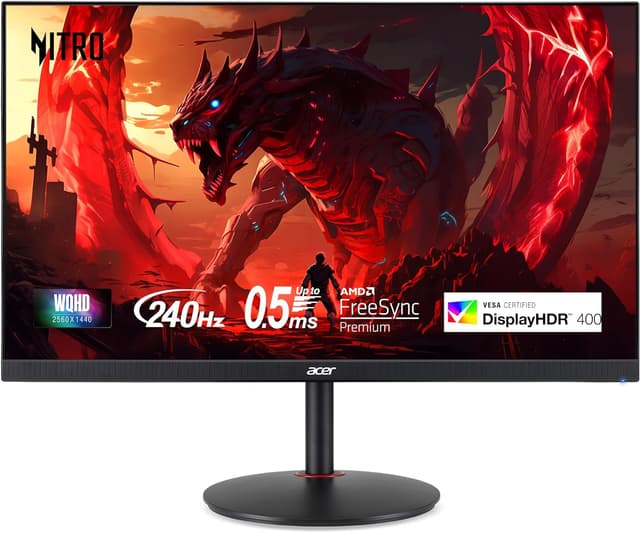
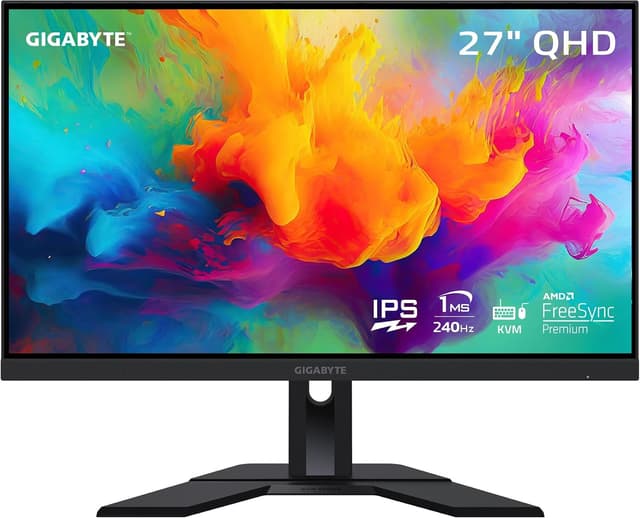
TopsFive comparison scores
Side by side
| Acer Nitro XV272U W2bmiiprx | GIGABYTE M27Q X | |
|---|---|---|
| Price | $179.99 | $217.89 |
| Screen Size | 27" | 27" |
| Resolution | 2560x1440 | 2560x1440 |
| Refresh Rate | 240Hz | 240Hz |
| Panel | IPS | Super-Speed IPS |
| Response Time | 0.5ms VRB / 1ms GtG | 1ms MPRT |
| Adaptive Sync | FreeSync Premium | FreeSync Premium, G-Sync Compatible |
| Stand | Height / tilt / swivel / pivot | Height / tilt |
How they differ in real use
Built from our competitive fps monitors under 300 scoring, each product's published specifications, and verified owner feedback — not hands-on testing.
Both the Acer Nitro XV272U W2bmiiprx and the GIGABYTE M27Q X made our Top 5 Gaming Monitors for Competitive FPS Under $300, at #2 (best value) and #3. The best all-round competitive buy. You keep a 240Hz ceiling for high-frame-rate shooters but move up to a sharp 27" 1440p IPS panel, and it regularly sells under $200 — an amount of performance and resolution per dollar the 1080p field cannot match. The 0.5ms VRB mode keeps fast motion clean. A near-twin to the Acer on gaming specs — 27" 1440p Super-Speed IPS at 240Hz with a 1ms MPRT response — that pulls ahead for anyone sharing the screen between a gaming PC and a work laptop, thanks to its built-in KVM and USB-C. It costs a little more than the Acer and has no strobing mode, which is why it lands just behind.
We score gaming monitors for competitive fps under $300 on Motion Clarity (30%), Refresh Rate (25%), Input Lag (15%), Panel & Resolution (15%) and Value (15%). On that basis the Acer Nitro XV272U W2bmiiprx totals 8.9 out of 10 and the GIGABYTE M27Q X 8.7. The widest gap is Motion Clarity, where the Acer Nitro XV272U W2bmiiprx scores 8.8 against 8.4 for the GIGABYTE M27Q X — pixel response and motion blur reduction. Value also separates them: 9.6 for the Acer Nitro XV272U W2bmiiprx versus 9 for the GIGABYTE M27Q X.
On paper, the specifications that actually differ: Panel — IPS on the Acer Nitro XV272U W2bmiiprx versus Super-Speed IPS on the GIGABYTE M27Q X; Response Time — 0.5ms VRB / 1ms GtG on the Acer Nitro XV272U W2bmiiprx versus 1ms MPRT on the GIGABYTE M27Q X; Adaptive Sync — FreeSync Premium on the Acer Nitro XV272U W2bmiiprx versus FreeSync Premium, G-Sync Compatible on the GIGABYTE M27Q X; Stand — Height / tilt / swivel / pivot on the Acer Nitro XV272U W2bmiiprx versus Height / tilt on the GIGABYTE M27Q X. They match on Screen Size, Resolution and Refresh Rate.
Pricing as of August 19, 2026: $179.99 for the Acer Nitro XV272U W2bmiiprx and $217.89 for the GIGABYTE M27Q X, a $37.9 difference in the Acer Nitro XV272U W2bmiiprx's favor. Owners praise the Acer Nitro XV272U W2bmiiprx for 1440p sharpness with a 240Hz ceiling and 0.5ms VRB motion-blur reduction mode; the most common complaint is IPS contrast is average with no local dimming. Owners praise the GIGABYTE M27Q X for 1440p 240Hz Super-Speed IPS and built-in KVM and USB-C for a two-device desk; the most common complaint is displayHDR 400 without local dimming is unremarkable.
Acer Nitro XV272U W2bmiiprx
- 1440p sharpness with a 240Hz ceiling
- 0.5ms VRB motion-blur reduction mode
- 99% sRGB coverage for accurate color
- FreeSync Premium for tear-free play
- IPS contrast is average with no local dimming
- 240fps at 1440p asks for an upper-mid-range GPU
- DisplayHDR 400 is a spec checkbox rather than true HDR
GIGABYTE M27Q X
- 1440p 240Hz Super-Speed IPS
- Built-in KVM and USB-C for a two-device desk
- 92% DCI-P3 wide color gamut
- 1ms MPRT response
- DisplayHDR 400 without local dimming is unremarkable
- USB-C power delivery is too low to charge larger laptops
- Stand offers height and tilt but no pivot
Which should you buy?
The Acer Nitro XV272U W2bmiiprx is the better fit for competitive players who also want QHD desktop clarity and mid-to-high GPU owners — it is the higher-scoring pick here, chiefly for Motion Clarity and Value. The GIGABYTE M27Q X is the better fit for competitive players who also work from the same desk and 1440p gamers wanting KVM and USB-C. Since the Acer Nitro XV272U W2bmiiprx is both the higher scorer and $37.9 cheaper, the GIGABYTE M27Q X only makes sense for competitive players who also work from the same desk. The Acer Nitro XV272U W2bmiiprx is a poor fit for entry GPUs that cannot drive 1440p high-refresh; the GIGABYTE M27Q X is a poor fit for buyers who want a strobing motion mode.
Choose the Acer Nitro XV272U W2bmiiprx if
- Competitive players who also want QHD desktop clarity
- Mid-to-high GPU owners
- Buyers who want the most performance per dollar
Skip it if
- Entry GPUs that cannot drive 1440p high-refresh
- OLED contrast seekers
Choose the GIGABYTE M27Q X if
- Competitive players who also work from the same desk
- 1440p gamers wanting KVM and USB-C
- Wide-gamut color users
Skip it if
- Buyers who want a strobing motion mode
- Laptop users needing high-wattage USB-C charging
Common questions
Is the Acer Nitro XV272U W2bmiiprx better than the GIGABYTE M27Q X?
In our Gaming Monitors for Competitive FPS Under $300 ranking the Acer Nitro XV272U W2bmiiprx scores higher overall, 8.9 to 8.7, with the biggest advantage in Motion Clarity. The GIGABYTE M27Q X does not out-score it on any criterion we weigh.
How much more does the GIGABYTE M27Q X cost than the Acer Nitro XV272U W2bmiiprx?
$37.9 more as of August 19, 2026: $217.89 for the GIGABYTE M27Q X against $179.99 for the Acer Nitro XV272U W2bmiiprx. Prices move, so the merchant page shows the current figure.
What is the main difference between the Acer Nitro XV272U W2bmiiprx and the GIGABYTE M27Q X?
The headline spec difference is Panel: IPS on the Acer Nitro XV272U W2bmiiprx versus Super-Speed IPS on the GIGABYTE M27Q X. In use, the gap that matters most is Motion Clarity (8.8 vs 8.4 in our scoring): pixel response and motion blur reduction.