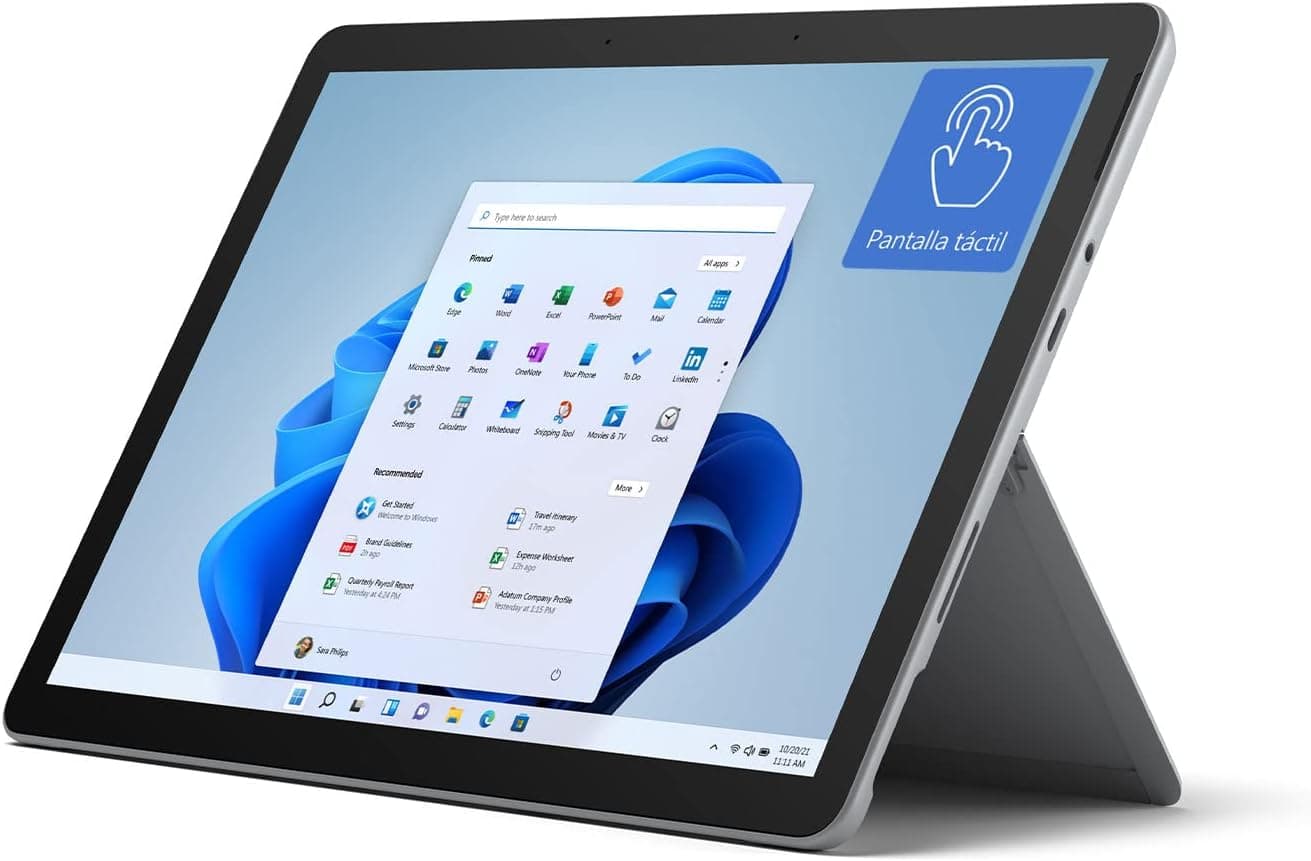
Microsoft Surface Go 3
Best Windows tablet battery at 10-11 hours with full Windows 11 productivity. Built-in kickstand, Surface Pen support, compact 10.5" size. Superseded in the ranking: Microsoft discontinued the entire Surface Go line (Go 4 and Laptop Go 3) in mid-2026 with no successor.
We may earn a commission when you buy through our links.
Our Verdict
Best Windows tablet battery at 10-11 hours with full Windows 11 productivity. Built-in kickstand, Surface Pen support, compact 10.5" size. Superseded in the ranking: Microsoft discontinued the entire Surface Go line (Go 4 and Laptop Go 3) in mid-2026 with no successor.
Pros & Cons
Pros
- •10-11 hours Windows battery
- •Full Windows 11
- •Built-in kickstand
- •Surface Pen support
- •USB-C and USB-A ports
- •Compact 10.5"
Cons
- •Weak Pentium/i3 processor
- •Keyboard sold separately
- •8.3mm thicker
- •Limited gaming
- •Surface Go line discontinued by Microsoft in 2026 with no successor
Specifications
| Display | 10.5" PixelSense, 1920×1280, 60Hz |
| Processor | Intel Pentium Gold / Core i3 |
| RAM | 4GB/8GB |
| Storage | 64GB/128GB SSD |
| Battery | 28.5Wh, 10-11 hours |
| Weight | 544g |
Quick Answers
What is the display of the Microsoft Surface Go 3?
Microsoft Surface Go 3 display: 10.5" PixelSense, 1920×1280, 60Hz.
What is the processor of the Microsoft Surface Go 3?
Microsoft Surface Go 3 processor: Intel Pentium Gold / Core i3.
What is the RAM of the Microsoft Surface Go 3?
Microsoft Surface Go 3 RAM: 4GB/8GB.
What is the storage of the Microsoft Surface Go 3?
Microsoft Surface Go 3 storage: 64GB/128GB SSD.
What is the battery of the Microsoft Surface Go 3?
Microsoft Surface Go 3 battery: 28.5Wh, 10-11 hours.
What is the weight of the Microsoft Surface Go 3?
Microsoft Surface Go 3 weight: 544g.
Who is the Microsoft Surface Go 3 for?
It suits windows productivity on-the-go, travel professionals, surface ecosystem, light Windows use. It is not the right pick for heavy workloads, gaming, performance needs.
Who Is This For?
Best For
- Windows productivity on-the-go
- Travel professionals
- Surface ecosystem
- Light Windows use
Not For
- Heavy workloads
- Gaming
- Performance needs
Where to Buy
Customer Reviews
Alternatives to Consider
OnePlus Pad Go 2
OnePlus
Longest-lasting tablet in this list, with a 10,050mAh battery independently measured at over 15 hours of mixed use and rated for up to 20 hours of local video playback. A 120Hz 2.8K display and 33W SUPERVOOC fast charging come at the lowest price of any pick here.
Samsung Galaxy Tab S10 FE+
Samsung
IP68 water resistant battery champion with 10,090mAh delivering 14-16 hours. S Pen included, 13.1" display, 7 years of updates.
Samsung Galaxy Tab A11+
Samsung
2026 successor to the Tab A9+ with the same 7,040mAh battery in a more efficient 4nm chipset, plus 90Hz refresh and 7 years of promised Android updates.
Microsoft Surface Pro 11
Microsoft
Microsoft's 11th-generation Surface Pro, here in its top configuration: a 12-core Snapdragon X Elite, 32GB of RAM, a 1TB SSD and the 13" PixelSense Flow OLED display. It has since been superseded in this ranking by the 2026 Surface Pro (12th Edition, Snapdragon X2 Plus), which carries a higher official battery rating. Still purchasable on Amazon US from a third-party retailer, but no longer Microsoft's current-generation Windows tablet.