Amazon Kindle Paperwhite Kids (16GB) vs Kobo Clara BW
Amazon's dedicated Kids+ ecosystem against Kobo's open, subscription-free library lending: the choice between built-in parental controls and free books forever.
We may earn a commission when you buy through our links.
TopsFive comparison scores
Side by side
| Amazon Kindle Paperwhite Kids (16GB) | Kobo Clara BW | |
|---|---|---|
| Display | 7" glare-free E Ink, 300 ppi, adjustable warm light | 6" glare-free E Ink Carta 1300 HD, 300 ppi |
| Storage | 16GB | 16GB |
| Battery Life | Up to 12 weeks | Up to 6 weeks |
| Water Resistance | IPX8 waterproof | IPX8 waterproof |
| Weight | 211g | 174g |
| Includes | Kid-friendly cover, 6 months Amazon Kids+, 2-year warranty | USB-C cable (no cover included) |
| Price | Check price → | Check price → |
How they differ in real use
Both are waterproof, glare-free E Ink readers priced within $20 of each other, but they solve the "how does my kid get new books" problem in opposite ways. The Paperwhite Kids leans on Amazon's Kids+ subscription: after the included 6-month trial, keeping the expanded age-filtered library flowing costs a recurring fee, but in exchange parents get a real dashboard for screen-time limits, reading goals, and content filtering by age. The Clara BW skips that infrastructure entirely: it has no kids' mode and no way to remotely cap how long a child reads, but it plugs directly into OverDrive and Libby, so a family with an active library card can borrow real library ebooks indefinitely without ever paying for content again. Hardware-wise they're close: both run 300 ppi E Ink panels and IPX8 waterproofing, though the Clara BW's screen is a half-inch smaller at 6" versus the Paperwhite Kids' 7", and its battery is rated for about half as many weeks per charge. The real decision is subscription-plus-controls versus free-forever-but-unmanaged.
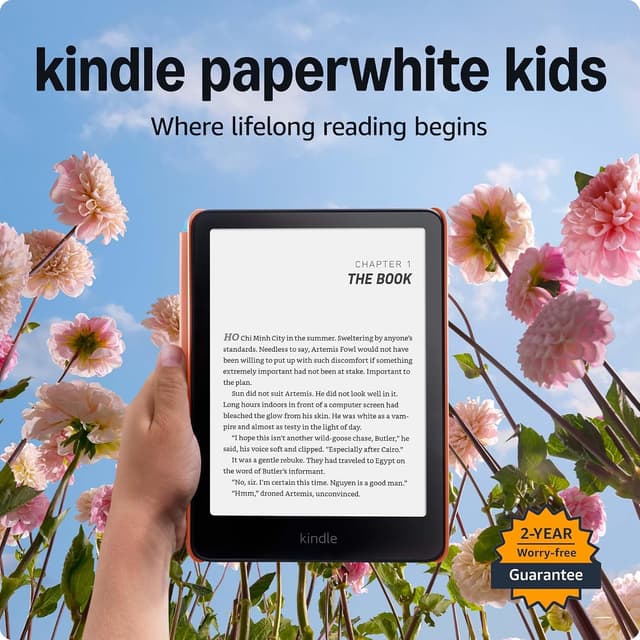
Amazon Kindle Paperwhite Kids (16GB)
- Waterproof IPX8 design survives spills, pool days, and bathtub reading
- 7" glare-free 300 ppi display with adjustable warm light
- Up to 12 weeks of battery life on a single charge
- Amazon Kids+ (6 months included) gives access to thousands of ad-free, age-appropriate titles
- 6-month Kids+ trial requires a paid subscription afterward to keep the expanded library
- $179.99 is the priciest e-ink option on this list
Kobo Clara BW
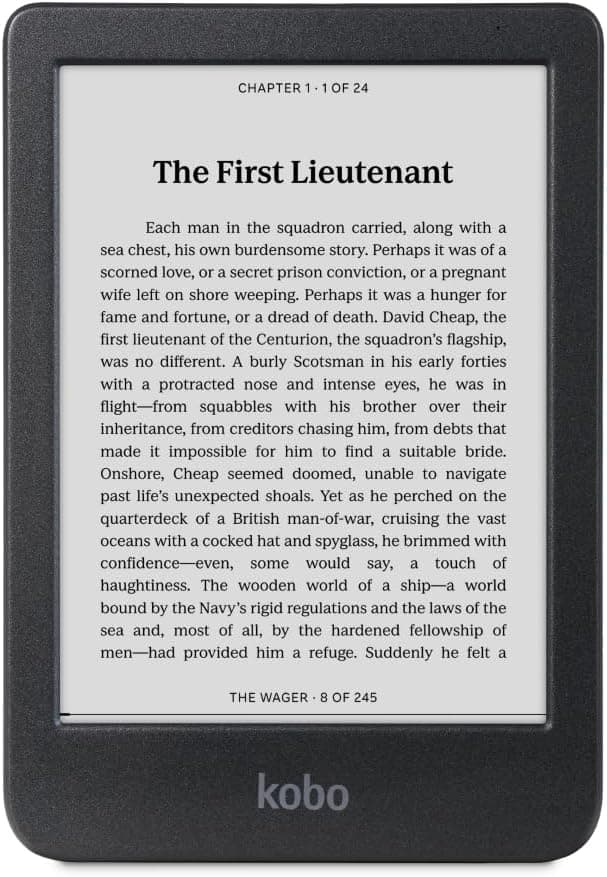
- Built-in OverDrive/Libby support borrows real library ebooks for free, no subscription needed
- Crisp E Ink Carta 1300 HD display with dark mode option
- Fully waterproof (IPX8) for up to 60 minutes
- Open ePub support reads library books and school-assigned titles without conversion
- No dedicated kids mode, parental controls, or content filtering, so parents must manage what's downloaded manually
- 6" screen is smaller than the Paperwhite Kids' 7"
Which should you buy?
Choose the Kindle Paperwhite Kids if you want Amazon's Parent Dashboard to set reading goals and screen-time limits, and you're fine paying for Kids+ once the free trial ends. It's the safer pick for younger kids who need supervision built into the device itself. Choose the Kobo Clara BW if your family already uses the library regularly and you'd rather avoid an ongoing subscription altogether; just know you'll need to manage what your child downloads yourself, since Kobo doesn't offer age filtering or time limits.
Choose the Amazon Kindle Paperwhite Kids (16GB) if
- Families wanting the safest, most durable pick
- Kids who read near water or in the bath
- Parents who want remote screen-time controls
Skip it if
- Families who don't want an ongoing Kids+ subscription
- Budget-first buyers
Choose the Kobo Clara BW if
- Families with a public library card who want free books
- Parents who don't want an ongoing content subscription
- Kids who already have school or library ebook accounts
Skip it if
- Parents wanting built-in content filtering or screen-time controls
- Younger kids who need a dedicated kids' interface
Common questions
Does the Kobo Clara BW have any parental controls?
No, Kobo doesn't offer a dedicated kids' mode, content filtering, or screen-time limits on the Clara BW. Parents manage what gets downloaded manually, typically by choosing what to borrow through the library app themselves.
Can the Kindle Paperwhite Kids borrow library books like the Kobo can?
Not directly. Kindle doesn't support OverDrive/Libby lending on-device the way Kobo does. Paperwhite Kids owners get books through Amazon's Kids+ subscription library instead, or by sideloading purchased or library-compatible files manually.
Which has better battery life?
The Paperwhite Kids, rated for up to 12 weeks versus the Clara BW's roughly 6 weeks, though both will run shorter in practice with the light on and daily reading.