HP OmniBook 5 14 vs Acer Aspire 5
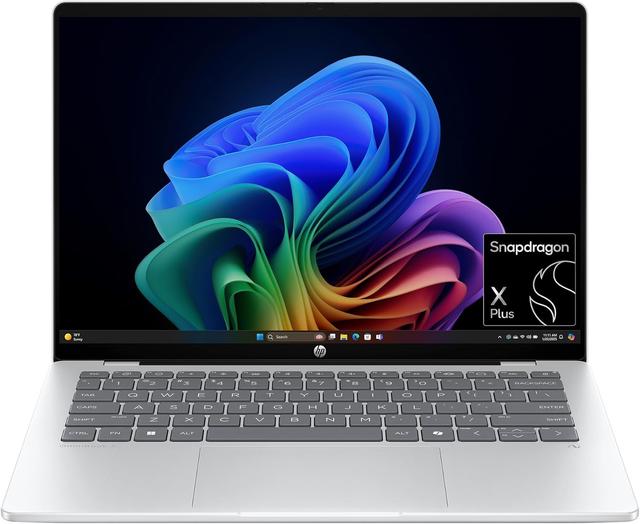
HP OmniBook 5 14 (#3) vs Acer Aspire 5 (#4, best budget): in our Student Laptops scoring the HP OmniBook 5 14 totals 8.4/10 and the Acer Aspire 5 8/10, the HP OmniBook 5 14 leading on Battery Life and Portability and the Acer Aspire 5 on Value.
We may earn a commission when you buy through our links.

TopsFive comparison scores
Side by side
| HP OmniBook 5 14 | Acer Aspire 5 | |
|---|---|---|
| OS | Windows 11 Home | Windows 11 |
| Processor | Qualcomm Snapdragon X Plus X1P-42-100 (8-core) | Intel Core i7-1355U |
| RAM | 16GB LPDDR5x (on board) | 8GB - 16GB |
| Storage | 512GB PCIe SSD | 256GB - 512GB SSD |
| GPU | Qualcomm Adreno X1-45 (integrated) | Intel Iris Xe |
| Display | 14" 2K OLED Touch 1920x1200 | 15.6" FHD IPS 1920x1080 |
| Weight | 2.84 lbs | 3.9 lbs |
| Battery | 59Wh | Up to 8 hours |
| Ports | 2x USB-C 10Gbps (Power Delivery, DisplayPort 1.4a), 1x USB-A 10Gbps, 3.5mm audio | — |
| Wireless | Wi-Fi 6E | — |
| Price | Check price → | Check price → |
How they differ in real use
Built from our student laptops scoring, each product's published specifications, and verified owner feedback — not hands-on testing.
Both the HP OmniBook 5 14 and the Acer Aspire 5 made our Top 5 Student Laptops, at #3 and #4 (best budget). The OmniBook 5 14 is the strongest Windows pick here for long campus days: reviewers measured about 17 hours of Wi-Fi browsing (Notebookcheck) and more than 25 hours of video playback (PCWorld) from its Snapdragon X Plus and 59Wh battery, and its 2.84 lb chassis is about a pound lighter than the 15.6-inch Aspire 5 and 16-inch OmniBook 5 16, with a 14-inch OLED touchscreen and 16GB of memory. It runs Windows on Arm, so some emulated apps are slower, which keeps its performance score below the two MacBooks. The Aspire 5 wins the budget slot by giving students real Windows flexibility, a large display, and upgrade-friendly mainstream specs at a much lower price than premium ultrabooks.
We score student laptops on Value (30%), Battery Life (25%), Portability (20%), Performance (15%) and Build Quality (10%). On that basis the HP OmniBook 5 14 totals 8.4 out of 10 and the Acer Aspire 5 8. The widest gap is Battery Life, where the HP OmniBook 5 14 scores 9.5 against 7 for the Acer Aspire 5: hours of real-world use. Value also separates them: 10 for the Acer Aspire 5 versus 8 for the HP OmniBook 5 14.
On paper, the specifications that actually differ: Operating System: Windows 11 Home on the HP OmniBook 5 14 versus Windows 11 on the Acer Aspire 5; CPU: Qualcomm Snapdragon X Plus X1P-42-100 (8-core) on the HP OmniBook 5 14 versus Intel Core i7-1355U on the Acer Aspire 5; RAM: 16GB LPDDR5x (on board) on the HP OmniBook 5 14 versus 8GB - 16GB on the Acer Aspire 5; Storage: 512GB PCIe SSD on the HP OmniBook 5 14 versus 256GB - 512GB SSD on the Acer Aspire 5; GPU: Qualcomm Adreno X1-45 (integrated) on the HP OmniBook 5 14 versus Intel Iris Xe on the Acer Aspire 5; Display: 14" 2K OLED Touch 1920x1200 on the HP OmniBook 5 14 versus 15.6" FHD IPS 1920x1080 on the Acer Aspire 5.
Check current pricing at the merchant links below. Owners praise the HP OmniBook 5 14 for long battery life in independent reviews: about 17 hours of Wi-Fi browsing (Notebookcheck) and more than 25 hours of video playback (PCWorld) and 14" 1920x1200 OLED touchscreen with wide DCI-P3 color coverage; the most common complaint is windows on Arm: some emulated apps run slower and a few specialist programs are not supported, so check course software first. Owners praise the Acer Aspire 5 for excellent value and good performance for price; the most common complaint is plastic build.
HP OmniBook 5 14
- Long battery life in independent reviews: about 17 hours of Wi-Fi browsing (Notebookcheck) and more than 25 hours of video playback (PCWorld)
- 14" 1920x1200 OLED touchscreen with wide DCI-P3 color coverage
- 16GB LPDDR5x memory and a 512GB SSD
- 2.84 lbs, with a compact 65W USB-C charger in the box
- Windows on Arm: some emulated apps run slower and a few specialist programs are not supported, so check course software first
- Glossy OLED panel tops out around 300 nits, so glare is noticeable in bright rooms
- 16GB of memory is soldered, and there is no SD card reader or Thunderbolt port
Acer Aspire 5
- Excellent value
- Good performance for price
- Full-size keyboard
- Upgradeable RAM/storage
- Plastic build
- Average battery life
- Not for heavy tasks
Which should you buy?
The HP OmniBook 5 14 is the better fit for all-day battery on campus and note-taking on a 14-inch touchscreen; it is the higher-scoring pick here, chiefly for Battery Life and Portability. The Acer Aspire 5 is the better fit for budget students and basic productivity, and the stronger choice if Value matters more to you than the overall score. The HP OmniBook 5 14 is a poor fit for students whose course software needs x86-only Windows apps; the Acer Aspire 5 is a poor fit for power users.
Choose the HP OmniBook 5 14 if
- All-day battery on campus
- Note-taking on a 14-inch touchscreen
- Windows users wanting OLED
Skip it if
- Students whose course software needs x86-only Windows apps
- Gamers
Choose the Acer Aspire 5 if
- Budget students
- Basic productivity
- First laptop buyers
Skip it if
- Power users
- Gamers
Common questions
Is the HP OmniBook 5 14 better than the Acer Aspire 5?
In our Student Laptops ranking the HP OmniBook 5 14 scores higher overall, 8.4 to 8, with the biggest advantage in Battery Life. The Acer Aspire 5 is stronger on Value, so it is the better pick if that matters most to you.
What is the main difference between the HP OmniBook 5 14 and the Acer Aspire 5?
The headline spec difference is Operating System: Windows 11 Home on the HP OmniBook 5 14 versus Windows 11 on the Acer Aspire 5. In use, the gap that matters most is Battery Life (9.5 vs 7 in our scoring): hours of real-world use.