ASUS ROG Strix XG259QNS vs Acer Nitro XV272U W2bmiiprx
The two best competitive-FPS monitors under $300, split by a single question: pay a little more for the ASUS XG259QNS if maximum frame rate and motion clarity are all that matter, or save money and gain a sharper 1440p picture with the 240Hz Acer Nitro XV272U W2 if you want one screen that is fast for shooters and crisp for everything else.
We may earn a commission when you buy through our links.
TopsFive comparison scores
Side by side
| ASUS ROG Strix XG259QNS | Acer Nitro XV272U W2bmiiprx | |
|---|---|---|
| Screen Size | 24.5" | 27" |
| Resolution | 1920x1080 | 2560x1440 |
| Refresh Rate | 380Hz (OC) | 240Hz |
| Panel | Fast IPS | IPS |
| Response Time | 0.3ms GtG (min) | 0.5ms VRB / 1ms GtG |
| Adaptive Sync | FreeSync Premium, G-Sync Compatible | FreeSync Premium |
| Stand | Height / tilt / swivel / pivot | Height / tilt / swivel / pivot |
| Price | Check price → | Check price → |
How they differ in real use
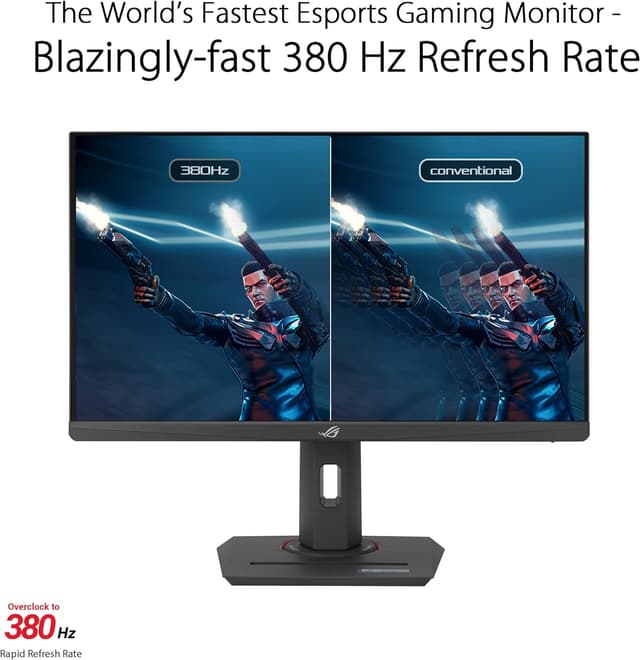
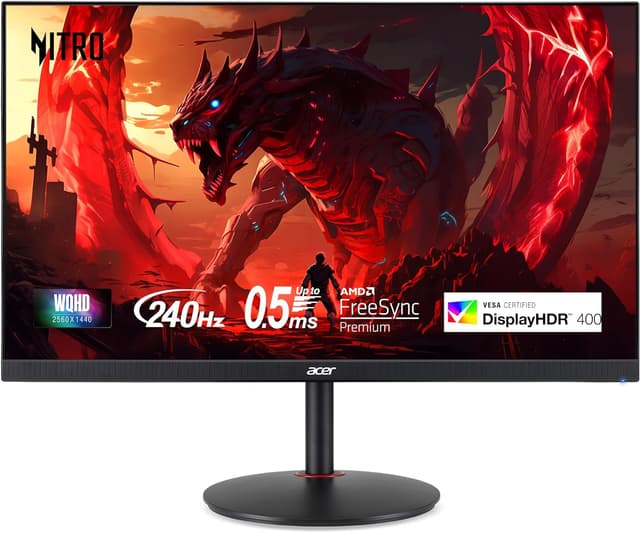
These two sit at opposite ends of the competitive-monitor philosophy, and the gap is bigger than the price difference suggests. The ASUS ROG Strix XG259QNS is a 24.5" 1080p specialist: a Fast IPS panel overclocked to 380Hz with a rated 0.3ms minimum response and ELMB Sync, which uniquely runs backlight strobing and variable refresh at the same time for the cleanest motion in this class. Everything about it (the smaller screen, the low resolution, the tripod-ready stand) is built to serve raw frame rate for esports titles like CS2 and Valorant, where players deliberately run 1080p to hit the highest possible fps. The Acer Nitro XV272U W2 takes the all-rounder route: a 27" 1440p IPS panel at 240Hz with a 0.5ms VRB mode. It gives up 140Hz of ceiling and the simultaneous-strobing trick, but in return you get a markedly sharper image with 99% sRGB color that pays off on the desktop, in slower games, and in any title where you would rather see more detail than more frames. There is also a real hardware demand difference: sustaining 380fps at 1080p leans on your GPU very differently than 240fps at 1440p, and the Acer typically costs less despite the bigger, higher-resolution panel.
ASUS ROG Strix XG259QNS
- 380Hz overclocked refresh ceiling
- Rated 0.3ms minimum GtG response
- ELMB Sync runs strobing and VRR together
- Fast IPS with ~110% sRGB and wide viewing angles
- 1080p looks soft up close on a 24.5" panel
- Sustaining 380fps needs a strong GPU and light settings
- DisplayHDR 400 has no local dimming
Acer Nitro XV272U W2bmiiprx
- 1440p sharpness with a 240Hz ceiling
- 0.5ms VRB motion-blur reduction mode
- 99% sRGB coverage for accurate color
- FreeSync Premium for tear-free play
- IPS contrast is average with no local dimming
- 240fps at 1440p asks for an upper-mid-range GPU
- DisplayHDR 400 is a spec checkbox rather than true HDR
Which should you buy?
Buy the ASUS XG259QNS if you are a dedicated competitive FPS player with a GPU strong enough to push frame rates well past 240: its 380Hz ceiling, 0.3ms response, and ELMB Sync deliver motion clarity nothing else here matches, and 1080p is a feature, not a flaw, for that audience. Buy the Acer Nitro XV272U W2 if you want the best single monitor for the money: it keeps a 240Hz refresh that is plenty for serious play while adding 1440p sharpness for games and work, and it usually costs less. Frame-rate purist, take the ASUS; everyone else, the Acer is the smarter all-round buy.
Choose the ASUS ROG Strix XG259QNS if
- Competitive FPS and esports players
- Anyone chasing maximum frame rate and motion clarity
- CS2, Valorant, and Overwatch mains
Skip it if
- Players who want 1440p sharpness
- Owners of entry GPUs that cannot feed high frame rates
Choose the Acer Nitro XV272U W2bmiiprx if
- Competitive players who also want QHD desktop clarity
- Mid-to-high GPU owners
- Buyers who want the most performance per dollar
Skip it if
- Entry GPUs that cannot drive 1440p high-refresh
- OLED contrast seekers
Common questions
Can my GPU actually reach 380fps for the ASUS to be worth it?
Only in lighter competitive titles. Games like CS2, Valorant, and Overwatch 2 at 1080p with competitive settings can run well past 240fps and into 380fps territory on a strong GPU, which is exactly where the XG259QNS earns its refresh ceiling. In heavier games you will fall far short of 380fps, and the monitor still runs fine; you just will not use its headroom. If most of your play is graphically demanding titles, the Acer's 240Hz is easier to feed and the 1440p sharpness is more useful.
Is 1440p at 240Hz too demanding compared to 1080p at 380Hz?
They are different loads. 1440p has about 78% more pixels than 1080p, so hitting 240fps at 1440p on the Acer needs an upper-mid-range or better GPU, while 1080p is lighter per frame but the ASUS asks for very high frame counts to use its 380Hz. Match the monitor to your hardware: a top-tier GPU paired with esports titles favors the ASUS; a mid-to-high GPU across a mixed library is better served by the Acer's 1440p 240Hz balance.
Does the ASUS strobing feature really make a visible difference?
For motion-sensitive players, yes. ELMB Sync reduces perceived motion blur by strobing the backlight, and its standout trait is running that strobing together with variable refresh, a combination most monitors force you to choose between. It does lower brightness when active, so it is a preference rather than a must-use. The Acer's VRB mode offers similar blur reduction but cannot pair it with adaptive sync in the same way.